PubkeyAuthentication
PubkeyAuthentication is an OpenSSH server (sshd_config) directive that specifies whether public key authentication is allowed. It takes yes or no, and the manual gives yes as the default. Leave it on: key login is the method a hardened server relies on, and turning it off while passwords are disabled leaves nobody able to log in over SSH.
Accepted values, default and what it does not decide
The sshd_config manual says PubkeyAuthentication specifies whether public key authentication is allowed and that the default is yes; the argument is yes or no. The client has its own switch in ssh_config, which the ssh_config manual also defaults to yes.
The directive is only the on/off gate for the method. Which keys are accepted is decided elsewhere. AuthorizedKeysFile names the files with the allowed public keys, and its default is .ssh/authorized_keys .ssh/authorized_keys2. Relative paths are taken from the user's home directory, the tokens %h, %U, %u and %% are expanded, and the value none skips user key files. PubkeyAcceptedAlgorithms limits which signature algorithms may be used, and ssh -Q PubkeyAcceptedAlgorithms lists what your build supports.
The authorized_keys entry covers the file format. PubkeyAuthentication is allowed inside Match blocks.
Key-only login and checking the effective value
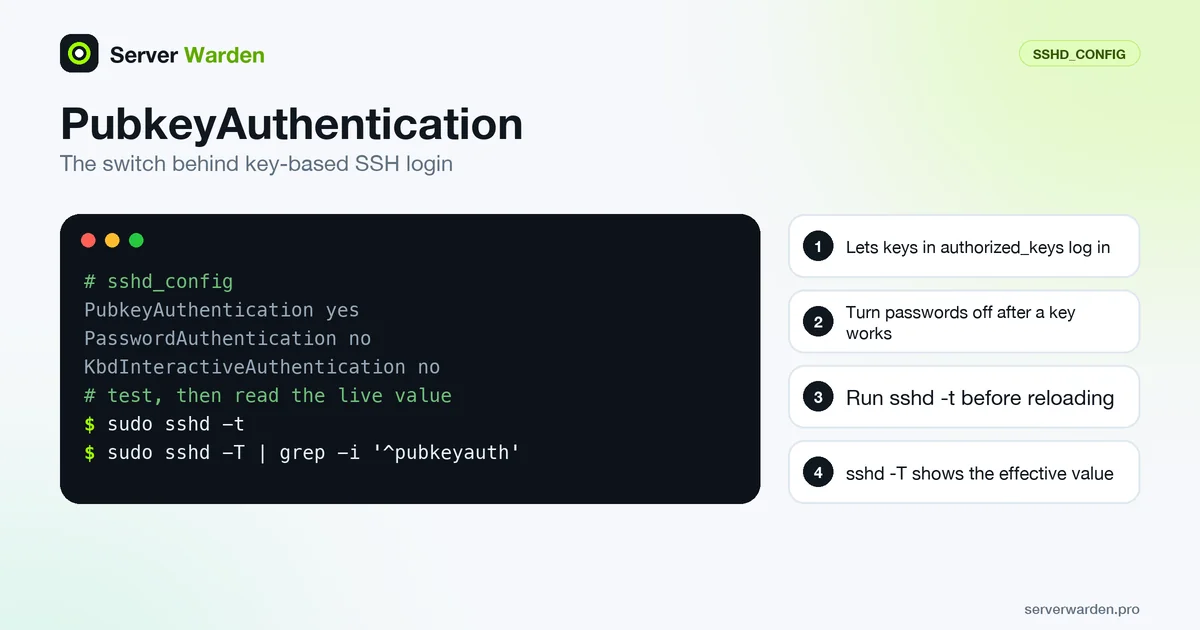
Keep the directive on and turn the other two password paths off. This is the key-only core described in the key-based authentication entry:
PubkeyAuthentication yes
PasswordAuthentication no
KbdInteractiveAuthentication no
See PasswordAuthentication and KbdInteractiveAuthentication for why both are needed. Validate and read back what sshd uses:
sudo sshd -t
sudo sshd -T | grep -iE '^(pubkeyauthentication|authorizedkeysfile|strictmodes) '
sudo systemctl reload ssh     # sshd on some distributions
ssh -v -o PreferredAuthentications=publickey -o IdentitiesOnly=yes -i ~/.ssh/id_ed25519 -l deploy your-server
Run the last command from a second terminal while the first session stays open. A successful login is logged by sshd as "Accepted publickey for", followed by the user, address and key fingerprint, which you can read with sudo journalctl -u ssh (the unit is sshd on some distributions).
Why key login fails even when it is set to yes
Most failures are not about this directive. The manual says StrictModes, which defaults to yes, checks the file modes and ownership of the user's files and home directory before accepting a login. The sshd(8) manual recommends that authorized_keys is readable and writable by the user and not accessible by others:
chmod 600 ~/.ssh/authorized_keys- The public key is missing from the file, or
AuthorizedKeysFilepoints somewhere else. - The home directory or
.sshbelongs to another user or is open to others. - The client offers the wrong identity. Its
IdentitiesOnlyoption defaults tono, so an agent may offer other keys first. - Many offered keys use up MaxAuthTries before the right one is tried.
- A
Matchblock or an earlier line overrides the value, since the first obtained value is used.
The Permission denied (publickey) guide covers this error in depth.
Interactions and where it fits in hardening
Never set PubkeyAuthentication no as a hardening step. If AuthenticationMethods requires publickey while the method is off, sshd refuses the configuration: its source checks that some configured list can be satisfied and stops with "AuthenticationMethods cannot be satisfied by enabled authentication methods". That check cannot see Match blocks, so keep testing.
Keys are the first factor in a stronger setup. Add a second step with AuthenticationMethods publickey,keyboard-interactive, or use a hardware key from the FIDO2 and WebAuthn entry: PubkeyAuthOptions supports touch-required and verify-required for FIDO keys, with none as the default.
Combine keys with PermitRootLogin no and an AllowUsers list. The order of work is in the SSH hardening guide, the extra factor is in the SSH two-factor guide, and the brute-force protection guide covers the bots that keep trying.
Related terms: sshd_config, Key-based authentication, authorized_keys, PasswordAuthentication, FIDO2 and WebAuthn.
Frequently asked questions
What is the default value of PubkeyAuthentication?
The OpenSSH manual gives yes, so key login is allowed unless you set no. Confirm the effective value with sudo sshd -T | grep -i pubkeyauthentication.
Should I set PubkeyAuthentication to no?
No. Key login is what a hardened server relies on. With it off and passwords disabled, nobody can log in over SSH, and a required publickey method in AuthenticationMethods makes sshd refuse the configuration.
Where does sshd look for public keys?
In the files named by AuthorizedKeysFile, which defaults to .ssh/authorized_keys and .ssh/authorized_keys2 in the user home directory. Set the value to none to skip user key files.
Why is my key rejected although PubkeyAuthentication is yes?
Common causes are a missing key in authorized_keys, wrong ownership or permissions that StrictModes rejects, or the client offering a different key. Read the sshd log and run ssh -v.
Is PubkeyAuthentication yes enough for key-only login?
No. You must also set PasswordAuthentication no and KbdInteractiveAuthentication no, otherwise a password or PAM prompt can still be offered.
Want to see where your own server stands?
Run the free, read-only server check, or open the Security Lab and watch the detect, contain, recover, verify loop in action.
Get your free server checkOpen the Security Lab