sshd_config
sshd_config is the main configuration file for the SSH daemon on Linux, usually located at /etc/ssh/sshd_config. Settings here control whether password login, root login and specific encryption ciphers are allowed.
What this file actually controls
sshd_config governs nearly every security-relevant SSH behavior on a server: whether root can log in, whether passwords are accepted, which port the daemon listens on, and which users or groups are allowed to connect at all.
A common mistake
Editing this file directly and restarting the SSH service without testing the new configuration in a second session first. A single typo can lock every remote session out of the server with no way back in except console access from the hosting provider.
Our SSH hardening guide walks through the sshd_config directives that matter most and a safe way to test them.
Included files and which value wins
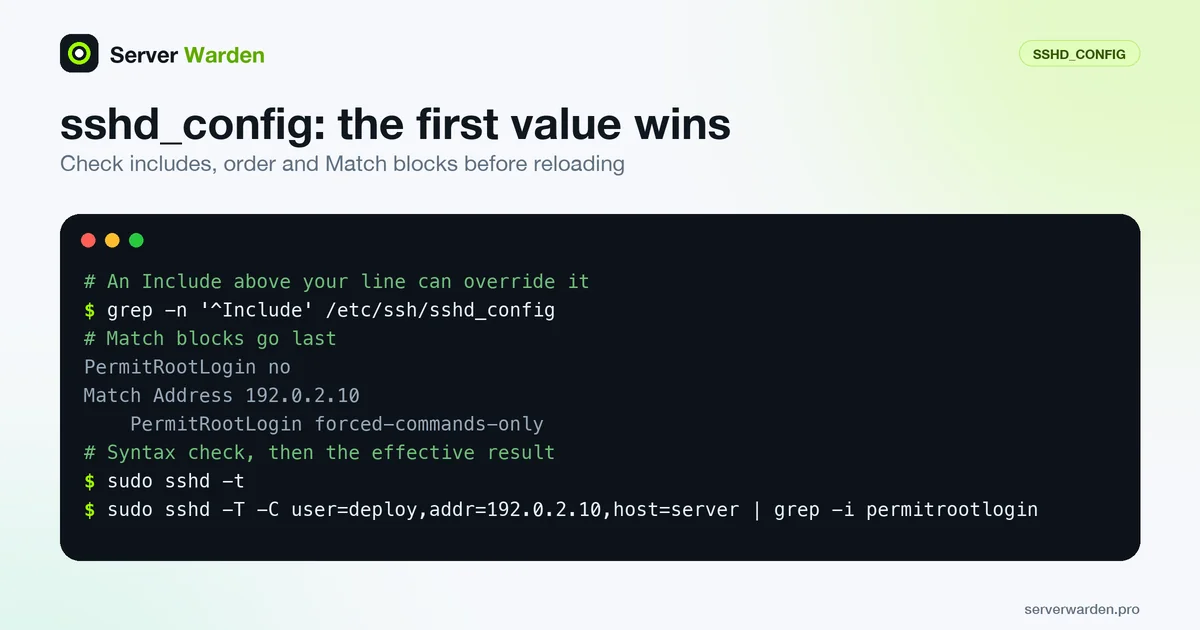
The surprise in sshd_config is that, per the sshd_config manual, for each keyword the first obtained value is used, not the last. That matters because of the Include directive, which pulls in other files. Wildcard matches are processed in lexical order, and a relative path is looked up in /etc/ssh. Some distributions add an Include line to the stock file, often pointing at a sshd_config.d directory. If that line sits above your own setting, a value in an included file wins over yours, whatever you wrote lower down.
This is a classic way for a hardening change to silently do nothing: you set PasswordAuthentication no in the main file, but another file read earlier still says yes. Find every place a keyword is set, then ask the daemon for the result:
grep -n '^Include' /etc/ssh/sshd_config
sudo grep -rniE 'passwordauthentication|permitrootlogin' /etc/ssh/sshd_config /etc/ssh/sshd_config.d/
sudo sshd -T | grep -iE '^(passwordauthentication|permitrootlogin) '
Only the last line shows what will actually apply. Make this check part of every change, and edit the file that wins instead of adding a contradictory line elsewhere.
Match blocks and testing as a specific user
A Match line starts a conditional block. Per the manual it ends at the next Match line or at the end of the file, and only a subset of keywords is allowed inside, including AllowUsers, PermitRootLogin and PasswordAuthentication. If a keyword appears in several Match blocks that all apply, only the first instance is used. So put Match blocks at the very end, and keep general settings above them. A line you meant as global but that lands under a Match is a common mistake.
PermitRootLogin no

Match Address 192.0.2.10
    PermitRootLogin forced-commands-only
To see how the rules apply to a given connection, use the connection specification option together with extended test mode, as described in the sshd manual:
sudo sshd -T -C user=deploy,addr=192.0.2.10,host=server | grep -i permitrootloginWithout -C, sshd has no connection details to match against, so the output does not reflect your Match blocks. Always run sudo sshd -t before reloading, as the SSH hardening guide explains.
Related terms: SSH, Root login, Key-based authentication, authorized_keys, PermitRootLogin, PasswordAuthentication, MaxAuthTries, AllowUsers, PAM, SSH X11 forwarding, ssh-keygen.
Frequently asked questions
Where is sshd_config located?
Almost always at /etc/ssh/sshd_config on Debian, Ubuntu, RHEL and most other Linux distributions.
How do I apply changes after editing it?
Run sshd -t first to check the syntax, then restart or reload the SSH service, for example with systemctl reload sshd, while keeping an existing session open in case something breaks.
What is the single highest-impact setting in this file?
PasswordAuthentication. Setting it to "no" in favor of key-based login removes the most common brute-force target on the entire server.
Does the order of lines in sshd_config matter?
Yes. For most keywords the first value obtained is used, so a setting that appears earlier, including one in a file pulled in by an Include line above it, overrides a later duplicate. Match blocks should come last.
How do I test the configuration as a particular user or IP address?
Run sshd -T with the -C option, for example sshd -T -C user=deploy,addr=192.0.2.10,host=server. It prints the effective configuration with the matching Match blocks applied.
Want to see where your own server stands?
Run the free, read-only server check, or open the Security Lab and watch the detect, contain, recover, verify loop in action.
Get your free server checkOpen the Security Lab