KbdInteractiveAuthentication
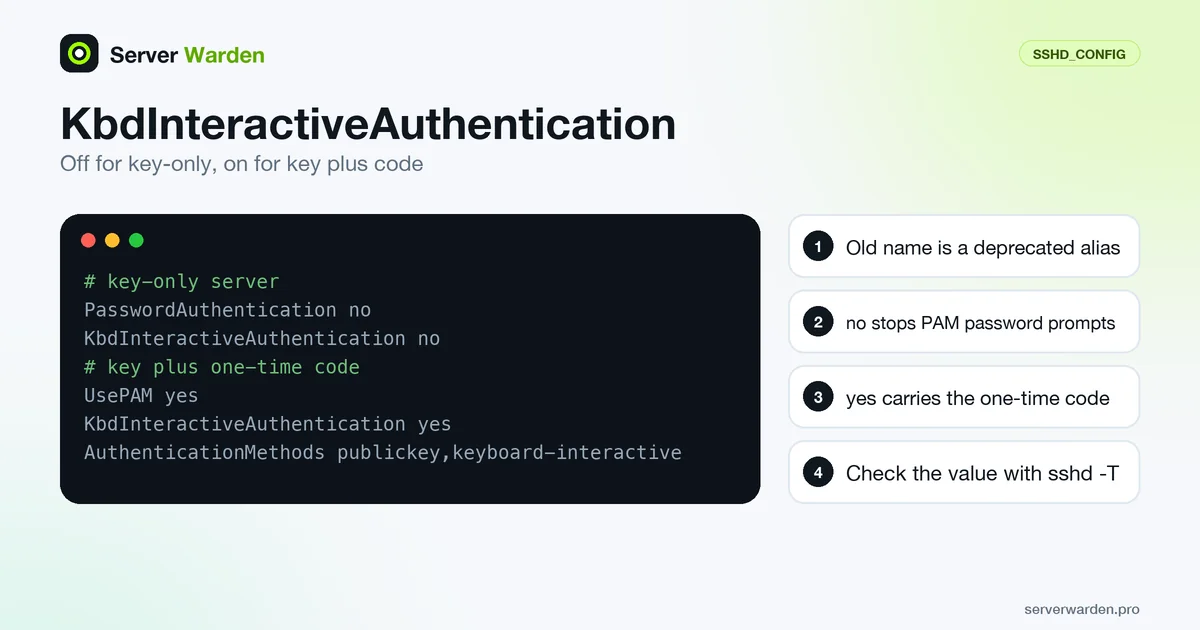
KbdInteractiveAuthentication is an OpenSSH server (sshd_config) directive that specifies whether keyboard-interactive authentication is allowed. It takes yes or no, and the manual gives yes as the default. It is the current name of ChallengeResponseAuthentication, and with UsePAM it is the path through which PAM asks for passwords or one-time codes, so a key-only server should turn it off.
Accepted values and the default
According to the sshd_config manual, the argument must be yes or no and the default is yes. Keyboard-interactive is the generic SSH login method defined in RFC 4256: the server sends one or more prompts and the client answers them. The prompts can be a password, a one-time code or several questions, and the server decides what appears.
On Linux the prompts normally come from PAM. The portable manual says that with UsePAM yes, PAM authentication runs through both KbdInteractiveAuthentication and PasswordAuthentication, and that UsePAM itself defaults to no.
Debian packages differ from upstream. The Debian manual page lists KbdInteractiveAuthentication no and UsePAM yes among the options its package sets in /etc/ssh/sshd_config, and the Ubuntu manual page says the same. So the built-in default and the value on your server can differ. Always read the effective value instead of assuming it.
ChallengeResponseAuthentication, the old name
Older guides and config management still use ChallengeResponseAuthentication. The OpenSSH 8.7 release notes, dated 2021-08-20, list a bugfix removing references to the old keyword in favour of KbdInteractiveAuthentication. The sshd_config manual still describes the old name as a deprecated alias, so old files keep working, but new configuration should use the current name.
The commit message explains the reason: the old name came from SSH protocol 1, the new one from protocol 2, and the two were not fully equivalent. A practical consequence is that a script which comments out or edits only the old name can miss the setting, so search for both before you trust a file:
sudo grep -rniE 'challengeresponse|kbdinteractive' /etc/ssh/sshd_config /etc/ssh/sshd_config.d/
sudo sshd -T | grep -i '^kbdinteractiveauthentication '
The second command prints the value sshd actually uses, which is the one that counts when several files or lines mention the keyword.
How it interacts with PasswordAuthentication, UsePAM and AuthenticationMethods
Keyboard-interactive can ask for the account password, so PasswordAuthentication no alone does not close password login. The portable manual says the two usually serve an equivalent role and advises disabling one of them. For a key-only server, switch both off and keep keys on, as the PasswordAuthentication entry explains:
PubkeyAuthentication yes
PasswordAuthentication no
KbdInteractiveAuthentication no
For a key plus a one-time code, keyboard-interactive must stay on, because it carries the code prompt from the PAM module:
UsePAM yes
KbdInteractiveAuthentication yes
PasswordAuthentication no
AuthenticationMethods publickey,keyboard-interactive
Without the AuthenticationMethods line, PAM could accept a password as a stand-alone login. The directive may also appear inside Match blocks, so check the effective value for a given user. Listing keyboard-interactive in AuthenticationMethods while turning the method off is a lock-out trap, covered in that entry.
Checking and testing it safely
Keep your current session open and work from a second terminal. Edit the file, validate it, read back the effective values and only then reload. The sshd(8) manual describes -t as a validity check and -T as printing the effective configuration, optionally for a connection given with -C:
sudo sshd -t
sudo sshd -T -C user=deploy,addr=192.0.2.10,host=server | grep -iE '^(kbdinteractive|passwordauth|pubkeyauth|usepam|authenticationmethods)'
sudo systemctl reload ssh     # sshd on some distributions
ssh -o PubkeyAuthentication=no -o PreferredAuthentications=keyboard-interactive -l deploy your-server
On a key-only server the last command must end in a denial without any prompt. Keep your provider console ready and know the steps in the SSH lockout recovery guide.
The full rollout order is in the SSH hardening guide, the code-prompt setup is in the SSH two-factor guide, and the sshd_config entry explains the first-value rule.
Related terms: sshd_config, PasswordAuthentication, PAM, Two-factor authentication, Key-based authentication.
Frequently asked questions
What is the default value of KbdInteractiveAuthentication?
The OpenSSH manual gives yes. Debian and Ubuntu ship an sshd_config that sets it to no, so check the effective value with sudo sshd -T | grep -i kbdinteractiveauthentication.
Is ChallengeResponseAuthentication the same thing?
It is the old name. OpenSSH 8.7 replaced references to it with KbdInteractiveAuthentication, and the manual lists it as a deprecated alias. Use the new name in new configuration.
Should I set KbdInteractiveAuthentication to no?
Yes on a key-only server, together with PasswordAuthentication no, because with UsePAM it can still ask for a password. No if you use PAM for a one-time code in a key plus code setup.
Do I need KbdInteractiveAuthentication yes for TOTP?
Yes. The code prompt is delivered through keyboard-interactive, so enable it with UsePAM yes and require it with AuthenticationMethods publickey,keyboard-interactive.
Why can I still enter a password after setting PasswordAuthentication no?
Keyboard-interactive with UsePAM yes can still ask for the account password. Set KbdInteractiveAuthentication no as well and confirm the result with sshd -T.
Want to see where your own server stands?
Run the free, read-only server check, or open the Security Lab and watch the detect, contain, recover, verify loop in action.
Get your free server checkOpen the Security Lab