AuthenticationMethods
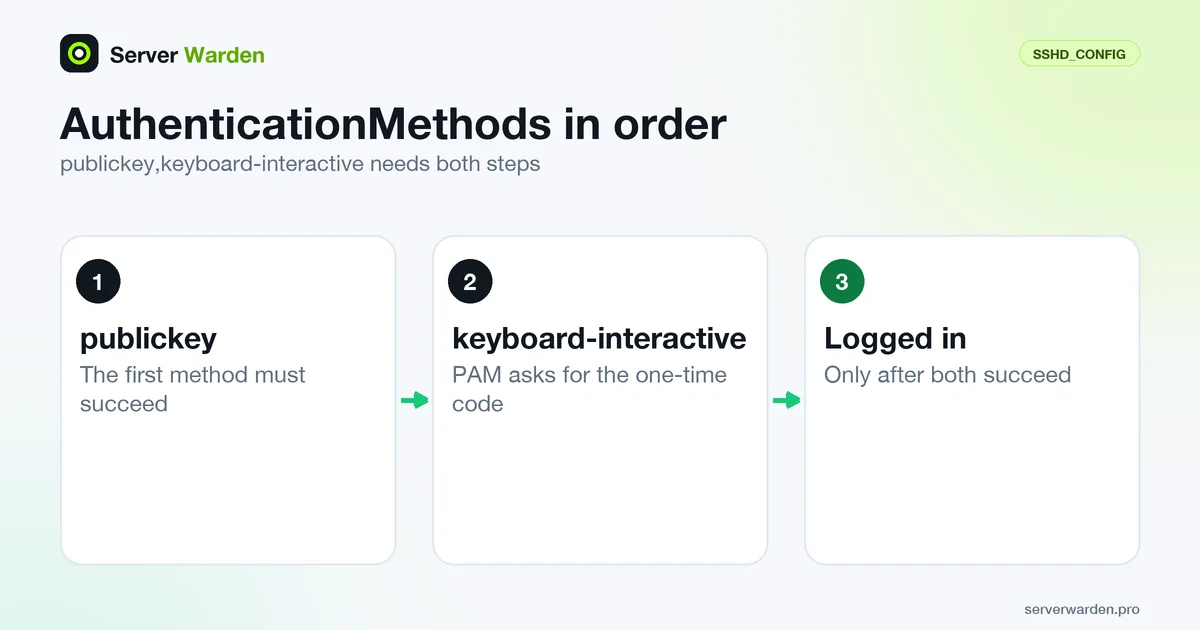
AuthenticationMethods is an OpenSSH server (sshd_config) directive that lists the authentication methods a user must complete before access is granted. Its default is any, meaning a single successful method is enough. Setting publickey,keyboard-interactive requires a key and then a second step such as a TOTP code, but a mistake in the list can lock everyone out.
Syntax, default and how lists are evaluated
The sshd_config manual says the directive takes one or more comma-separated method lists, or the single string any, which is the default and accepts any one method. If you override it, the user must complete every method in at least one list. Several lists are separated by spaces and act as alternatives:
AuthenticationMethods publickey,password publickey,keyboard-interactiveThat line requires a key and then either a password or a keyboard-interactive step. Only the methods that come next in some list are offered at each stage, so a password cannot be tried before the key here. The methods are gssapi-with-mic, hostbased, keyboard-interactive, none, password and publickey. Keyboard-interactive can be tied to a backend with a suffix such as keyboard-interactive:pam. Naming publickey twice requires two different keys.
The manual adds that each listed method should also be enabled in the configuration. When no list is set, sshd -T prints authenticationmethods any, as the OpenSSH servconf.c source shows.
A key and a second step: publickey,keyboard-interactive
The common use is a key plus a one-time code. Enable the pieces and then require them in order:
PubkeyAuthentication yes
UsePAM yes
KbdInteractiveAuthentication yes
PasswordAuthentication no
AuthenticationMethods publickey,keyboard-interactive
The key is checked first. The second step is a PAM conversation, so the code comes from a module in the PAM stack, such as the Google Authenticator module described under TOTP. The stack decides what is asked. On Debian, /etc/pam.d/sshd starts with the common-auth include, so unless you change it, the system password may be requested as well; the Debian template shows this.
At LogLevel VERBOSE, sshd logs the first step as "Partial publickey for" and the user, which confirms the key was accepted and the code was the missing step, according to the auth.c source. Read KbdInteractiveAuthentication and PubkeyAuthentication for the two enabling switches, and the SSH two-factor guide for the full rollout.
Lock-out risks and how to test safely
This directive is where a typo costs you server access. The classic traps are requiring a method that is switched off, such as keyboard-interactive with KbdInteractiveAuthentication no, or password with PasswordAuthentication no. sshd partly protects you. At start-up, and in sshd -t, its source stops with "AuthenticationMethods cannot be satisfied by enabled authentication methods" when no list is satisfiable, and at login a list containing a disabled method is skipped with a log message. The source comment notes that Match blocks cannot be verified in advance.
Other causes: a user without a TOTP secret, a PAM line that is wrong, a clock out of sync and an automation key that cannot type a code. Work in this order:
- Keep one logged-in session open and have your provider console ready.
- Edit the file, then run
sudo sshd -t. - Check a given connection with
sudo sshd -T -C user=deploy,addr=192.0.2.10,host=server | grep -i '^authenticationmethods '. - Reload, then log in from a new terminal.
If it goes wrong, follow the SSH lockout recovery guide.
Match blocks and where it fits in hardening
The manual allows AuthenticationMethods inside Match blocks, so a second step can be required only where it matters, for example for one group of administrators. If a keyword appears in several satisfied Match blocks, the manual says only the first instance is applied, so read the result back with sshd -T -C:
Match Group sudo
    AuthenticationMethods publickey,keyboard-interactive
Give automation its own account and restricted key so a job never needs a code, and combine the rule with AllowUsers. The rest of the baseline is in the two-factor authentication entry, PasswordAuthentication no and MaxAuthTries.
Prefer a hardware key where you can: the FIDO2 and WebAuthn entry explains why, and PubkeyAuthOptions verify-required can require user verification, such as a PIN, for FIDO keys. The order of work is in the SSH hardening guide, and the brute-force protection guide covers the attacks it blunts.
Related terms: sshd_config, Two-factor authentication, TOTP, PAM, PasswordAuthentication.
Frequently asked questions
What is the default value of AuthenticationMethods?
The default is any, which accepts any single successful method. sshd -T prints authenticationmethods any when no list is configured.
How do I require an SSH key and a TOTP code?
Enable UsePAM yes and KbdInteractiveAuthentication yes, set up the PAM module for the code, and add AuthenticationMethods publickey,keyboard-interactive. Test it from a second terminal first.
What is the difference between a comma and a space in AuthenticationMethods?
A comma joins steps that must all be completed in order. A space separates alternative lists, and completing every method in any one list is enough.
Why does sshd say AuthenticationMethods cannot be satisfied?
Every list contains a method that is disabled, for example publickey with PubkeyAuthentication no. Enable the required methods or change the list, then run sshd -t again.
Can I require two factors for only some users?
Yes. AuthenticationMethods is allowed inside Match blocks, so you can require the extra step for a group or an address. Check the result with sshd -T -C, since start-up checks cannot see Match blocks.
Want to see where your own server stands?
Run the free, read-only server check, or open the Security Lab and watch the detect, contain, recover, verify loop in action.
Get your free server checkOpen the Security Lab