Key-based authentication
Key-based authentication is logging in to SSH with a cryptographic key pair instead of a password. It removes the most common brute-force target: there is no password to guess, only a private key that never has to leave the user's own machine.
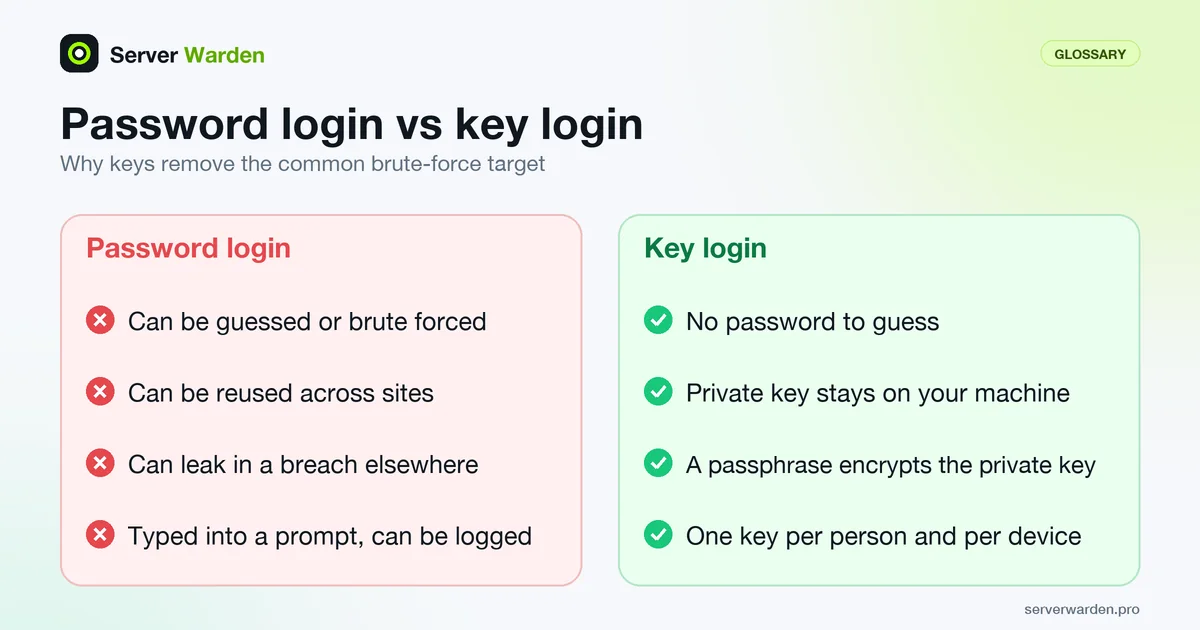
Why keys are considered safer than passwords
A password can be guessed, reused across sites, or leaked in a breach elsewhere. A private key does not travel across services, cannot be brute forced in any practical amount of time at modern key lengths, and never has to be typed into a login prompt where it could be intercepted or logged.
What actually has to go right
Key-based authentication only protects a server if the private key itself is protected: passphrase-encrypted, stored outside of shared or backed-up locations that other people can read, and removed from authorized_keys immediately when someone leaves a team or a laptop is lost.
Our SSH hardening guide shows how to roll out key-only login without locking yourself out.
A key is one factor and can be copied; to require a second one, see the SSH two-factor authentication guide.
Creating and handling a key properly
Most of the strength of key login is decided at creation time and in daily handling. In the current ssh-keygen manual, running the tool without a type generates an Ed25519 key, and Ed25519 keys have a fixed length, so the -b size option is ignored for them. When a passphrase is set, the private key is encrypted with a key derivation function, and the -a option raises its number of rounds, which makes guessing the passphrase of a stolen key slower. The manual lists 32 as the default.
ssh-keygen -t ed25519 -a 100 -C "alice@laptop-2026"
ssh-keygen -p -f ~/.ssh/id_ed25519
ssh-keygen -lf ~/.ssh/id_ed25519.pub
The second command changes the passphrase of an existing key. The third prints the fingerprint, which is how you recognise a key later in logs and in authorized_keys. Use one key per person and per device, with a descriptive comment, so one lost laptop means removing one line. To avoid retyping the passphrase all day, let the agent hold the key. In ~/.ssh/config, AddKeysToAgent yes loads it after the first use (the default is no), and IdentitiesOnly yes stops ssh from offering every key it knows. Leave ForwardAgent at its default of no unless you have a specific need.
Prove that password login is really off
Adding a key does not turn passwords off. After you set PasswordAuthentication no, test it from a second terminal while your first session stays open. Force the client to try only a password:
ssh -o PreferredAuthentications=password -o PubkeyAuthentication=no alice@your-serverA correctly hardened server refuses this without offering a password prompt. If you get a prompt, something is still enabled. Ask the daemon directly:
sudo sshd -T | grep -iE '^(passwordauthentication|kbdinteractiveauthentication|pubkeyauthentication|authenticationmethods) 'Check kbdinteractiveauthentication as well as the password setting. The sshd_config manual gives both PasswordAuthentication and KbdInteractiveAuthentication a default of yes, and keyboard-interactive login can be another route to a password prompt on setups that use PAM. If the output disagrees with the file you edited, another included file is probably winning, which the sshd_config entry explains. Finally, keep in mind that a key alone is one factor, so see the SSH two-factor authentication guide for the next step.
Related terms: SSH, authorized_keys, sshd_config, Root login, Two-factor authentication (2FA), PasswordAuthentication, ssh-keygen, ssh-copy-id, FIDO2 and WebAuthn.
Frequently asked questions
Should I still keep a password login as a backup?
No. Keeping password login enabled defeats the purpose, since it gives attackers a second, weaker path in even after you have set up keys.
What happens if I lose my private key?
You lose access through that key, but the server is not compromised, since the key never leaves your machine. Generate a new key pair and add the new public key to authorized_keys through another access method.
Is a passphrase on the private key necessary?
Strongly recommended. Without a passphrase, anyone who copies the key file itself, from a stolen laptop or a misconfigured backup, can use it immediately.
Which key type should I generate today?
Ed25519. Current ssh-keygen produces it when no type is given, the key length is fixed, and it is the type the SSH hardening guide recommends. Use RSA only when an older system cannot accept Ed25519.
Can I use one key for all my servers?
Technically yes, since the same public key can be listed everywhere. It is better to use one key per person and device, so a lost laptop means removing a single entry and you can tell in the logs which device logged in.
Want to see where your own server stands?
Run the free, read-only server check, or open the Security Lab and watch the detect, contain, recover, verify loop in action.
Get your free server checkOpen the Security Lab