Origin server IP
The origin server IP is the real public address of the server that sits behind a proxy or CDN such as Cloudflare. Proxied DNS records return the proxy addresses instead, so visitors never see it. If the origin IP leaks, anyone who knows it can connect to the server directly and skip the WAF, caching and DDoS filtering you placed in front of it.
Why the origin address should stay private
Your VPS has a public IP address. When you put Cloudflare in front of it and mark a DNS record as proxied, Cloudflare answers DNS queries with its own anycast addresses instead of yours. Visitors reach Cloudflare first, and Cloudflare then reaches your server, the origin. That path is where your WAF rules, caching and DDoS filtering live.
The Cloudflare documentation warns that a DNS-only record gives your server's real address to anyone who queries it. Its guide to protecting your origin server says that securing the origin connection is meant to stop attackers from discovering and overloading it. If the address leaks, a client can send requests straight to the server and skip every control you put in front of it.
Think of the origin IP as an unlisted phone number, not a password. Hiding it helps, but it is not a control on its own. The real control is a server that refuses traffic which did not come through the proxy. A reverse proxy protects you only if nothing can go around it.
How it leaks from your own DNS records
Most leaks come from your own DNS rather than from a clever attack. On a domain you own, look for these:
- A record left on DNS only (the grey cloud), for example
mail,ftp,director a forgotten staging name that points at the same server. - An old record. Cloudflare's guidance on protecting the origin names historical DNS records and mail records as ways a hidden origin can still be found.
A zone export is the quickest audit. According to the Cloudflare import and export page, an exported record carries a tag, cf-proxied:true or cf-proxied:false, so every false line that points at your server is a leak candidate. In the dashboard open DNS Records, then Import and Export, or call the dns_records/export API endpoint with a read token.
To find names you forgot you created, read the subdomain enumeration entry, and see attack surface for how those names add up.
Check it yourself with curl
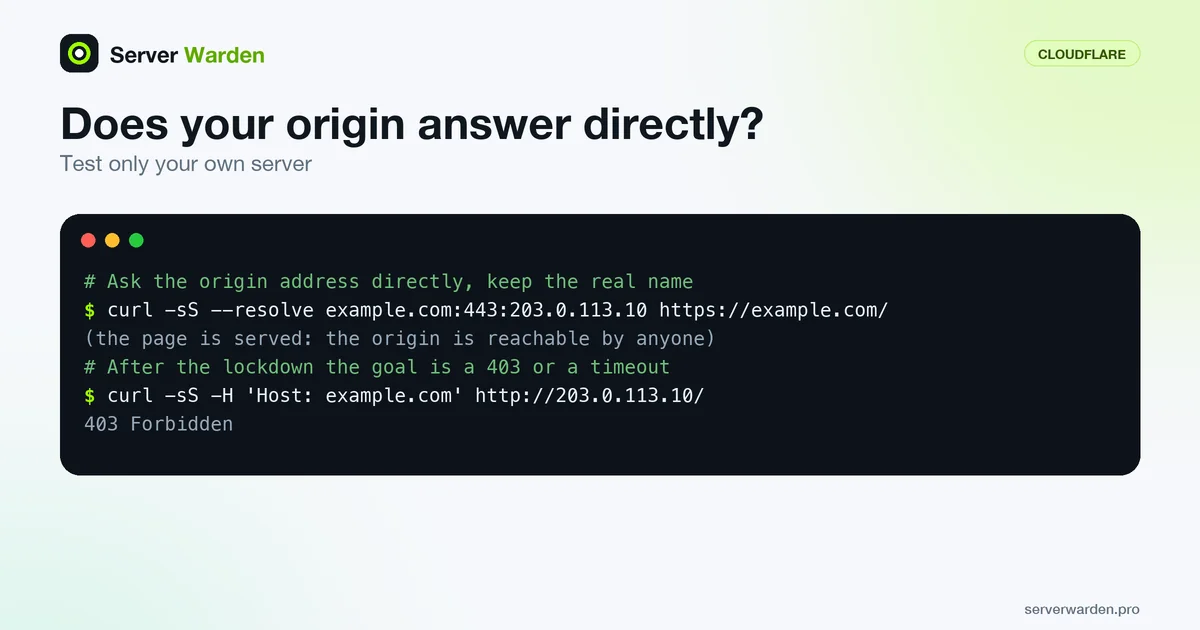
Test only your own server. One IP can serve many sites and the web server picks the site from the Host header, so ask for your real name. The curl --resolve option works like a temporary hosts entry: the request goes to the address you choose while the name stays in the URL.
curl -sS --resolve example.com:443:203.0.113.10 https://example.com/ -o /dev/null -w '%{http_code}\n'
curl -sS -H 'Host: example.com' http://203.0.113.10/ -o /dev/null -w '%{http_code}\n'
We ran this against nginx 1.24.0 in Ubuntu 24.04 containers. With the name supplied, the origin served the site. A bare request to the IP got an empty reply from a default server that returns 444, so a bare-IP check alone proves little. After we added allow for a network the client was not in plus deny all, the same request returned 403; with the client's network allowed it returned the page. The goal is a 403 or a timeout from everywhere except Cloudflare. The origin lockdown guide has the full procedure.
Lock it down, and what that does not fix
Cloudflare lists three ways to protect the origin. The first is allowing only Cloudflare's published ranges (the ips-v4 and ips-v6 lists at cloudflare.com/ips) in a firewall. The second is Authenticated Origin Pulls. The third is Cloudflare Tunnel, which connects out from the server so it needs no publicly routable IP. Cloudflare rates the IP allowlist as moderately secure and notes it is open to IP spoofing, so combine layers. The ranges change rarely, but script the refresh.
Know the limits. An allowlist proves traffic came from Cloudflare's network, not from your account. Changing the server IP helps only if the old records are gone and nothing publishes the new address. Ports other than 80 and 443, such as SSH, need their own rules, and a default-deny policy covers them all. Authenticated Origin Pulls does not work with Cloudflare Tunnel, so choose by setup.
Related terms: Authenticated Origin Pulls, Reverse proxy, WAF, DDoS attack, Attack surface.
Frequently asked questions
Is my origin IP secret if I use Cloudflare?
Not guaranteed. Proxied records hide it, but DNS-only records and old DNS history can still expose it. Treat it as unlisted and make the server refuse traffic that does not come through Cloudflare.
How do I find out whether my origin IP is exposed?
Export your DNS zone and look for cf-proxied:false records that point at your server. Then request your site directly with curl --resolve against that address. If it answers, anyone who knows the IP can reach it.
Will changing the server IP fix a leak?
Only partly. The new address leaks the same way if a DNS-only record or an old record still points to it. Change it together with a firewall rule that drops non-Cloudflare traffic.
Does allowing only Cloudflare IP ranges stop all direct access?
It blocks clients on other addresses. Cloudflare rates it moderately secure and says it is vulnerable to IP spoofing, and it cannot tell your zone from other Cloudflare customers. Add Authenticated Origin Pulls with your own certificate.
Do I need this with Cloudflare Tunnel?
Much less. Tunnel connects out from your server, so no publicly routable IP is needed for the proxied service. Other services on the same host, such as SSH, still need a firewall.
Want to see where your own server stands?
Run the free, read-only server check, or open the Security Lab and watch the detect, contain, recover, verify loop in action.
Get your free server checkOpen the Security Lab