Firewall
A firewall is software or hardware that controls which network traffic is allowed to reach a server, based on rules such as IP address and port. A firewall does not check whether existing accounts or files are already compromised, it only decides what gets in.
What a firewall does not protect against
A firewall controls which network connections are allowed to reach a server; it has no visibility into what happens inside a connection it has already allowed, such as a weak password being guessed over an open SSH port.
The most common configuration mistake
Leaving every port open by default and trying to remember to block the risky ones individually. A default deny policy, where everything is blocked unless specifically allowed, is far harder to get wrong by omission.
For a hands-on comparison of the tools and a safe default setup, see our Linux firewall guide.
How to check what your server really exposes
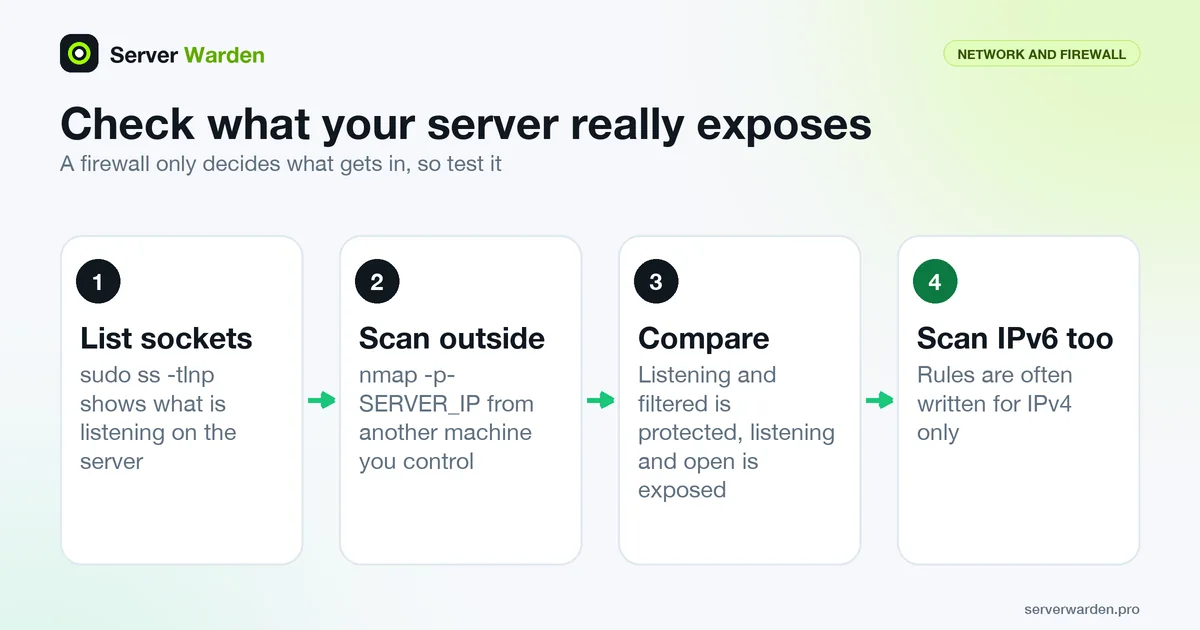
A rule listing shows what you configured; a socket listing shows what is actually waiting for connections. Start with the second, using the ss options for TCP, listening-only, numeric and process names:
sudo ss -tlnpAn address of 0.0.0.0 or [::] means the service listens on every interface, while 127.0.0.1 means local only. Then scan the server from a different machine that you control, covering all 65535 ports:
nmap -p- SERVER_IPNmap calls a port filtered when packet filtering stops its probes from reaching it, which is the result you want for anything that should not be public. Compare the two lists: a service that is listening but filtered is protected by the firewall, while one that is listening and open is exposed on purpose or by mistake. Scan the IPv6 address too, because rules are often written for IPv4 only. NIST SP 800-41 says that deny-by-default should apply regardless of whether traffic uses IPv4 or IPv6.
Layers, outbound traffic and keeping rules honest
CISA advises enabling a host firewall even when a network firewall already exists, while noting that a software firewall runs on the system it protects, which can hinder its ability to detect attacks. The practical reading for a VPS: treat the provider firewall and the host firewall as two independent layers, and do not skip the host one.
Most small servers filter only inbound traffic, and ufw by default allows all outbound traffic. NIST SP 800-41 Rev. 1 goes further and recommends blocking all inbound and outbound traffic that the policy does not expressly permit, and calls filtering of outgoing traffic egress filtering. Restricting outbound connections is more work, since DNS, time sync and package mirrors need explicit rules, but it can stop a compromised service from freely calling out. If that is too much, at least log outbound anomalies as described in the log analysis guide.
The same publication recommends periodic testing that rules work as expected and regular backups of the ruleset. After each change, repeat the scan above, and keep a saved copy of your rules alongside your other configuration. The VPS security checklist places this check among the other baseline steps.
Related terms: iptables, nftables, ufw, Bastion host.
Frequently asked questions
Do I need a firewall if my hosting provider already has one?
Yes, in most cases. A provider-level firewall and a server-level firewall (like iptables, nftables or ufw) serve as independent layers, and relying on only one leaves you exposed if the other is misconfigured or absent.
Which ports should always stay open?
Only the ones actively in use, typically SSH and whatever your application serves, such as 80 and 443 for a web server. Every additional open port is unnecessary exposure.
Can a firewall stop a DDoS attack?
A basic firewall can block obviously malicious individual sources, but a large-scale volumetric attack usually requires upstream mitigation from the hosting provider or a specialized DDoS protection service.
How do I check which ports my server exposes to the internet?
Run ss -tlnp on the server to see what is listening, then scan all ports with nmap -p- from a different machine you control. Services that are listening but show as filtered from outside are protected by the firewall.
Should a firewall filter outbound traffic as well?
NIST SP 800-41 recommends blocking all inbound and outbound traffic that is not expressly permitted. On a small server outbound filtering takes more effort because DNS, time sync and updates need rules, but it limits what a compromised service can reach.
Want to see where your own server stands?
Run the free, read-only server check, or open the Security Lab and watch the detect, contain, recover, verify loop in action.
Get your free server checkOpen the Security Lab