Secrets management
Secrets management is the practice of storing, delivering, rotating and auditing credentials such as API keys, database passwords and tokens so they never sit in source code or logs. OWASP recommends centralising secrets, limiting who and what can read each one, and rotating them, so a leaked value stops working quickly.
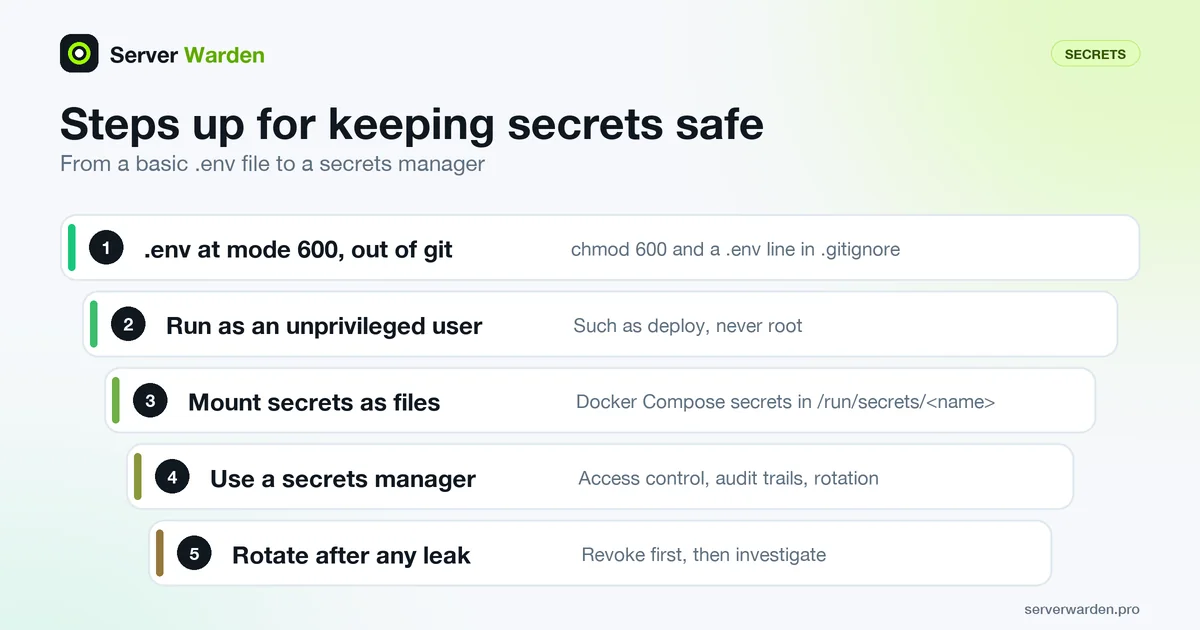
What counts as a secret and how it leaks
A secret is any value that proves identity or grants access: API keys, database passwords, tokens, signing keys and private keys. The OWASP Secrets Management Cheat Sheet points out that many organisations hardcode secrets in plaintext in source code. It recommends centralising their storage, provisioning, auditing, rotation and management, never hardcoding them in Docker ENV or ARG instructions, and never logging them.
For vibe coders the usual leak is a key pasted into a source file, or a .env file committed to git or left reachable on the web server. GitHub push protection blocks pushes that contain supported secrets, but users with write access can bypass it, so it is a net, not a plan. If a key has already leaked, follow what to do after a leaked API key, and check your site against exposed .env and .git files.
A safe baseline on a VPS
Start with a file that only the app's user can read, kept out of git and out of the web root:
cd /srv/myapp
touch .env
chmod 600 .env
chown deploy:deploy .env
echo ".env" >> .gitignore
ls -l .env
Mode 600 means only the owner can read and write the file. Run the app as an unprivileged user such as deploy, not as root, so that a bug in the app cannot read other people's files; see deploy an app to a VPS securely and least privilege. Make sure the web server never serves the file: put the app behind a reverse proxy and keep secrets outside the public directory.
Avoid passing secrets as command-line arguments, because they can appear in shell history and process listings. The environment variables entry explains how the app reads the file.
Beyond .env files
A .env file is a start, not the end. OWASP says environment variables are generally accessible to all processes and may end up in logs or system dumps, so it advises against them unless the other methods are not possible. It prefers secrets mounted as files by the orchestrator, or fetched at runtime from a secrets manager.
Docker Compose secrets do this on a single server. Each granted secret appears in the container as a file at /run/secrets/<name>:
services:
  app:
    image: myapp:latest
    secrets:
      - db_password

secrets:
  db_password:
    file: ./db_password.txt
Keep db_password.txt at mode 600 and out of git. The Docker Compose VPS deploy guide shows the full setup. As a team grows, a dedicated secrets manager adds access control, audit trails and automatic rotation.
Rotation, scope and leaks
Good secrets management is mostly habits:
- One key per job. OWASP asks for least privilege, scoped per secret and per component, so a stolen key opens as little as possible.
- Rotate. Regular, ideally automatic rotation means stolen credentials only work for a short time. Rotate at once after any suspected leak.
- Never in the browser. Vite's documentation says variables exposed to client code should not contain sensitive information such as API keys. Anything bundled into frontend code is public.
- Scan before commit. OWASP suggests secrets detection at the developer level, for example in a pre-commit hook.
When a secret does leak, revoke or rotate it first, then investigate and clean up. Deleting a commit does not make an exposed key safe again. Follow your incident response steps and apply containment before anything else.
Related terms: Environment variables, Least privilege, Incident response, Vibe coding, Containment.
Frequently asked questions
What is secrets management?
It is the practice of storing, delivering, rotating and auditing credentials such as API keys, passwords and tokens so they are not hardcoded in source code or written to logs, and so only the right people and services can read them.
Is a .env file a safe place for API keys?
It is better than hardcoding if the file is ignored by git, set to mode 600 and never served by the web server. OWASP still advises against environment variables for high-value secrets unless other methods are not possible.
What should I do if I committed a secret to git?
Revoke or rotate the secret first, because anyone may already have copied it. Then check logs for misuse and clean the repository. Removing the commit alone does not undo the exposure.
Can I put API keys in frontend code?
No. Variables bundled into browser code are visible to every visitor. Vite's documentation says client-exposed variables should not contain sensitive information such as API keys, so call a backend that holds the key instead.
How often should I rotate secrets?
OWASP recommends regular, ideally automated rotation but does not give one interval for everyone. Rotate immediately after a suspected leak, when a person with access leaves, and on a schedule that fits how valuable the secret is.
Want to see where your own server stands?
Run the free, read-only server check, or open the Security Lab and watch the detect, contain, recover, verify loop in action.
Get your free server checkOpen the Security Lab