Containment
Containment is the incident response step focused on stopping an active breach from spreading further, before trying to fully remove its underlying cause.
Why containment comes before full cleanup
An incident that is still actively spreading, such as malware still executing or an attacker still holding an active session, will keep getting worse the longer full cleanup is delayed in favor of first stopping the immediate damage.
What containment can look like in practice
Isolating a compromised server from the network, revoking active sessions and credentials, or temporarily disabling a compromised service are all forms of containment, chosen based on what will stop the incident from progressing with the least disruption to unaffected systems.
For the full sequence of steps that follows containment, see our server breach incident response guide.
Choosing how hard to contain
CISA's incident response playbook asks you to weigh three things before picking a containment action: the impact on availability of services, how long the action takes and how effective it will be (full versus partial containment), and the effect on collecting and preserving evidence.
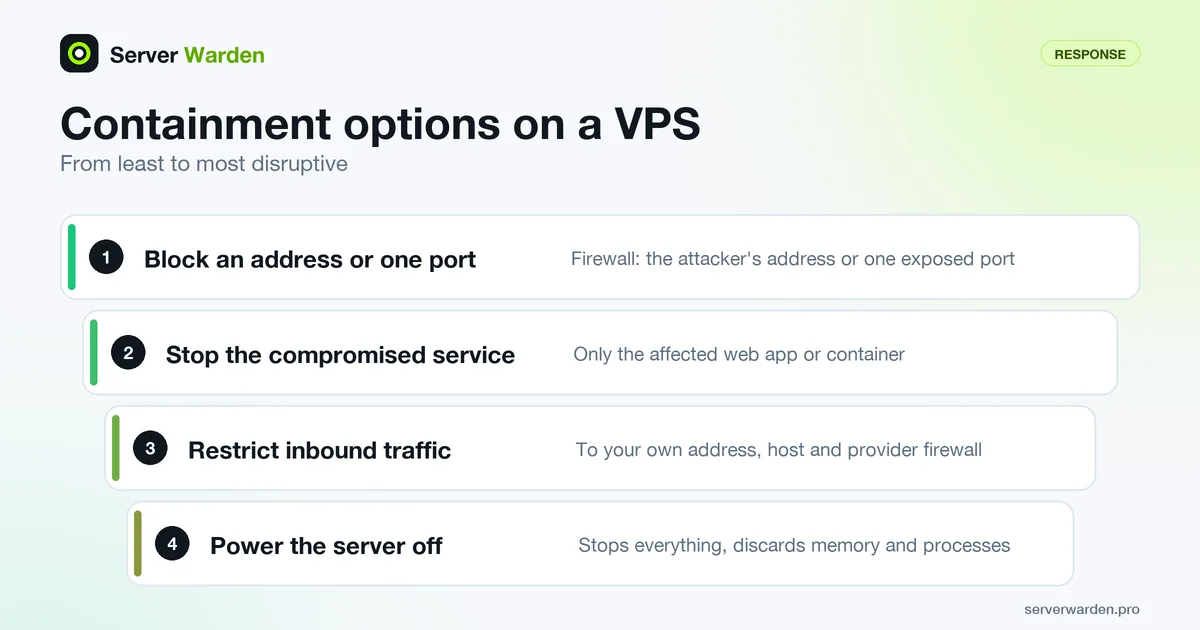
On a VPS that gives you a ladder of options, from least to most disruptive:
- Block the attacker's source address or close one exposed port in the firewall.
- Stop only the compromised service, such as one web application or container.
- Restrict inbound traffic to your own address, ideally in the provider's network firewall as well as on the host.
- Power the server off, which stops everything but discards memory and running process state.
The playbook also warns that some adversaries watch defensive measures and change tactics, so a half-finished response can alert them. Decide the full set of actions first, then apply them together rather than one by one. If you see signs of compromise you did not know about, widen the scope and analyze again before moving on. The firewall guide covers the host side of this.
Ending live sessions and cutting off credentials
A new firewall rule does not by itself remove someone who is already logged in. List the sessions, and note the output for your records before you end anything, because terminating a session kills its processes:
loginctl list-sessions
ss -tnp state established
loginctl terminate-session ID
loginctl terminate-user USERNAME
According to the systemd documentation, terminate-session kills all processes of that session and terminate-user ends all sessions of the user.
Then remove the ways back in. CISA lists changing administrator passwords, rotating private keys and application secrets where compromise is suspected, and revoking privileged access as containment activities. Check every account's authorized_keys file, not only root's, and compare the account list with the UID 0 check. Avoid typing the new secrets into a session on the compromised host, since it may be monitored. The SSH hardening guide shows how to lock the door properly afterwards.
Related terms: Incident response, RECOVERED vs VERIFIED, Intrusion prevention.
Frequently asked questions
Does containment mean shutting the whole server down?
Not necessarily. A full shutdown is one option, but more targeted containment, like isolating network access or disabling one specific service, is often preferable when other parts of the server are unaffected.
What comes after containment?
Eradication, removing the underlying cause of the incident, followed by recovery, and finally verification that the fix actually worked, rather than just that the service is responding normally again.
Can containment itself cause downtime?
Sometimes, yes. Containment intentionally trades some availability for stopping further damage, which is usually the right trade during an active incident.
How do I know containment has worked?
CISA describes successful containment as a state with no new signs of compromise. If new signs appear, return to analysis and widen the scope; only when none appear should you preserve evidence, adjust detection and move on to eradication.
Should I rotate passwords and keys as part of containment?
CISA lists rotating admin passwords, private keys and service secrets as a containment activity where compromise is suspected. Do it from a device you trust, and cover SSH keys and application secrets as well as passwords.
Want to see where your own server stands?
Run the free, read-only server check, or open the Security Lab and watch the detect, contain, recover, verify loop in action.
Get your free server checkOpen the Security Lab