VPS (Virtual Private Server)
A VPS (Virtual Private Server) is a virtual machine rented from a hosting provider that gives full administrative control over the operating system, meaning all security configuration is the renter's own responsibility from day one.
Why security is entirely the renter's job
On a VPS, the hosting provider is generally responsible for the physical hardware and the underlying virtualization layer, but everything inside the operating system, including firewall rules, SSH configuration and patching, is the renter's responsibility from the moment the server is provisioned.
The trade-off compared to shared or managed hosting
A VPS gives full administrative control, which also means there is no platform-level safety net catching misconfiguration the way some managed or shared hosting environments provide by default.
VPS vs. shared hosting vs. dedicated server
A dedicated server gives exclusive use of physical hardware; a VPS is one of several virtual machines carved out of a shared physical host, each with its own operating system and root access; shared hosting gives no operating-system-level access at all. A VPS sits in between on cost and control: cheaper than a dedicated server, but with the same full administrative responsibility a dedicated server carries.
For the complete hardening sequence for a new server, follow our VPS security checklist.
Find out what you actually rented
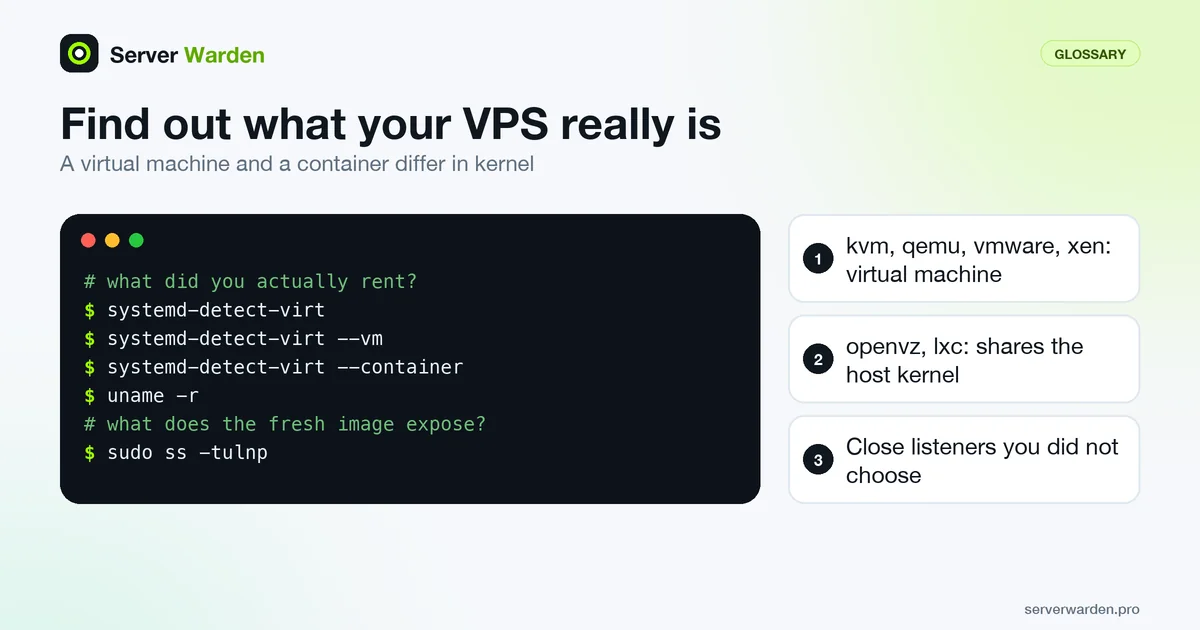
Two products sold as a VPS can differ in a way that matters for security. Some are full virtual machines with their own kernel, as NIST SP 800-125 describes: an operating system running on virtual hardware. Others are containers that share the host's kernel. Ask the machine itself, since the systemd-detect-virt manual page separates full hardware virtualization from shared-kernel containers:
systemd-detect-virt
systemd-detect-virt --vm
systemd-detect-virt --container
uname -r
Identifiers such as kvm, qemu, vmware, xen or microsoft indicate a virtual machine, while openvz or lxc indicate a container. The difference decides who owns the kernel. On a virtual machine you patch it yourself, so the patch management guide applies in full. On a shared-kernel container the kernel belongs to the host, so ask the provider how kernel fixes reach you.
Right after provisioning, also list what the fresh image already exposes, before you install anything:
sudo ss -tulnpEvery listener bound to a public address that you did not choose is a candidate for closing, and the firewall guide shows how.
Questions to settle with the provider
The hosting company runs the hardware and the layer that creates virtual machines, and you run everything inside, but providers draw the line in slightly different places. Settle the gaps in writing before the server holds real data:
- Image freshness. Does the provider update the operating system image, or only provision it? Assume you must run updates before exposing any service.
- Out-of-band console. Can you reach the server without SSH if a firewall or sshd mistake locks you out? Test it once while nothing depends on it.
- Snapshots and backups. Where do they live? If they sit in the same account as the server, they share its fate, so plan an independent copy as the backup strategy guide describes.
- Network protection. Which filtering or flood protection is included, and what is explicitly not covered? The DDoS guide explains what to add yourself.
- Account security. Control panels can usually rebuild or delete a server, so protect that login with a second factor and a unique password.
If the answers show more responsibility than your team can carry, the managed security versus DIY comparison helps you decide what to hand off.
Related terms: SSH, Firewall, Patch management, Managed security.
Frequently asked questions
Does my hosting provider secure my VPS for me?
Generally no, beyond the physical infrastructure and network layer. Operating system-level security, including updates and configuration, is the renter's responsibility unless a specific managed service is purchased on top.
Is a VPS less secure than shared hosting by default?
Not inherently, but it starts with more responsibility on the renter, since shared hosting platforms often lock down configuration options that a VPS leaves fully open and unmanaged.
What is the very first thing to secure on a freshly provisioned VPS?
SSH access, typically by setting up key-based authentication and disabling root login, before anything else is installed or configured.
What does VPS stand for?
VPS stands for Virtual Private Server: a virtual machine that behaves like an independent server, with its own operating system and root access, even though it runs on hardware shared with other customers.
Is a VPS the same as a dedicated server?
No. A dedicated server gives exclusive use of physical hardware, while a VPS is one of several virtual machines running on a shared physical host. Both give full administrative control over the operating system, but a VPS is usually cheaper and more common for small and mid-sized workloads.
What is a VPS server used for?
Anything that needs its own environment without the cost of a dedicated server: web and application hosting, APIs, databases and self-managed infrastructure where full control over the operating system matters.
How can I tell whether my VPS is a full virtual machine or a container?
Run systemd-detect-virt. Identifiers such as kvm, qemu, vmware or xen mean a virtual machine with its own kernel, while openvz or lxc mean a container sharing the host kernel.
Can I patch the kernel on my VPS myself?
On a full virtual machine, yes, because the kernel belongs to your operating system; it usually takes a reboot unless you use live patching. On a shared-kernel container the host owns the kernel, so you depend on the provider.
Want to see where your own server stands?
Run the free, read-only server check, or open the Security Lab and watch the detect, contain, recover, verify loop in action.
Get your free server checkOpen the Security Lab