SSH
SSH (Secure Shell) is the encrypted protocol used to remotely log in to and administer a Linux server. Almost every automated attack against a small VPS starts with SSH, because it is one of the few services left open on nearly every server by default.
How SSH access typically gets abused
Most successful server compromises that start with SSH do not involve breaking the cryptography. They come from weak or reused passwords, keys that were never rotated after an employee left, or a default configuration that still allows root to log in directly. SSH itself is sound; the surrounding configuration is usually where the risk lives.
Hardening SSH without breaking access
The most effective baseline is disabling password authentication in favor of key-based login, turning off direct root login, and restricting which accounts and IP ranges are allowed to connect. None of these changes require replacing SSH, only tightening how it is configured.
For the full configuration walkthrough, from key-only login to limiting login attempts, see our SSH hardening guide.
How to check what your SSH server is really doing
A config file you edited last month is not proof of anything. Ask the running system instead. Four quick checks cover most questions:
sudo ss -tlnp | grep sshd
sudo sshd -T | grep -iE '^(port|permitrootlogin|passwordauthentication|pubkeyauthentication|allowusers) '
ssh -V
sudo journalctl -u ssh --since today | grep -E 'Accepted|Failed'
The first command lists listening TCP sockets with their owning process (-t TCP, -l listening, -n numeric, -p process), so you can see which address and port sshd is bound to. The second uses sshd's extended test mode, which, according to the sshd manual, prints the effective configuration instead of the file contents, so includes and overrides are already resolved. Run it as root, because sshd needs to read its host keys. The third shows the client version, and the fourth reads recent logins. On Debian and Ubuntu the unit is usually called ssh, on Red Hat family systems sshd. Repeat the check after every change and after every incident, because configuration drifts quietly.
Host keys: the half of SSH trust people skip
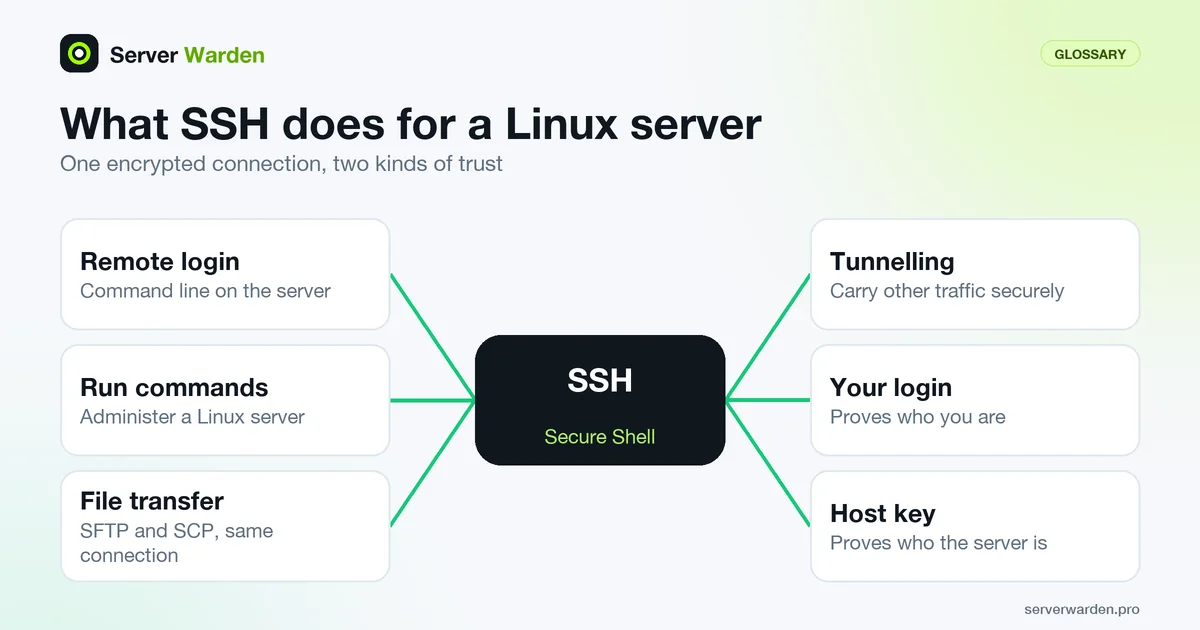
Your login proves who you are to the server. The server's host key proves who the server is to you. The first time you connect, ssh shows a fingerprint of the server's public key and, once you accept it, remembers it in ~/.ssh/known_hosts. The ssh manual says ssh warns you when a known host's identification later changes. By default (StrictHostKeyChecking ask) it asks before trusting an unknown key, so do not just type "yes" out of habit.
Compare the fingerprint before you accept it. Open the provider's web console once and run this on the server:
ssh-keygen -lf /etc/ssh/ssh_host_ed25519_key.pubThe result should match what your client displays. A changed key is normal after you rebuild or reinstall a server, because new host keys are generated. After confirming that is the reason, remove the stale entry with ssh-keygen -R your-server and reconnect. If you did not change anything on the server, stop and investigate rather than clicking through the warning, since it can mean your connection is being intercepted. If you suspect the server itself, the breach response guide gives the order of steps.
Related terms: Key-based authentication, sshd_config, Root login, Brute-force attack, PermitRootLogin, Bastion host, known_hosts, SSH agent forwarding, SSH X11 forwarding, ssh-keygen.
In the news: CVE-2026-35414 shows how a single mishandled character in SSH certificate authentication became a full authentication bypass.
Frequently asked questions
Is it safe to leave SSH open to the whole internet?
It is common, but riskier than it needs to be. Combining key-based authentication, a restricted allow list of IPs where possible, and rate limiting through a tool like fail2ban meaningfully reduces exposure without giving up remote access.
Does changing the SSH port make a server secure?
No. It reduces noise from automated scans but is not a security control on its own. It should never be used as a substitute for key-based authentication and a firewall.
Can SSH be disabled entirely?
On some setups, yes, in favor of a provider's own console access, but most teams keep SSH enabled because it is faster for routine administration. Restricting who can use it matters more than removing it.
What does SSH stand for?
SSH stands for Secure Shell. It is an encrypted network protocol that lets an administrator log in to and run commands on a remote server, replacing older unencrypted tools like Telnet and rlogin.
What is SSH used for?
Remote administration: logging in to a server's command line, running commands, transferring files over SFTP or SCP, which use the same SSH connection, and tunnelling other traffic securely.
How can I see which SSH settings are actually active?
Run sshd -T as root. It prints the effective configuration after includes and overrides are applied, which is more reliable than reading sshd_config by eye. Add -C with a user and address to see how Match blocks apply to a specific connection.
What does a changed host key warning mean?
The server presented a different key than the one stored in your known_hosts file. It is expected after a rebuild or reinstall, but if you did not change the server, stop and verify the fingerprint through the provider console before connecting.
Want to see where your own server stands?
Run the free, read-only server check, or open the Security Lab and watch the detect, contain, recover, verify loop in action.
Get your free server checkOpen the Security Lab