unattended-upgrades
unattended-upgrades is a Debian and Ubuntu package that automatically installs security updates on a schedule, without requiring someone to log in and run the update manually.
What it does and does not cover by default
On most default configurations, unattended-upgrades installs security updates automatically but leaves other, non-security package updates for manual review, which keeps the automatic behavior focused specifically on closing known vulnerabilities.
The reboot problem
Some security updates, particularly kernel updates, only take full effect after a reboot. unattended-upgrades can be configured to reboot automatically at a scheduled time, but many servers leave this off, quietly running an old kernel in memory despite an updated one being installed on disk.
Our server patch management guide shows how to set up unattended-upgrades safely.
Proving it works: dry run, timers and logs
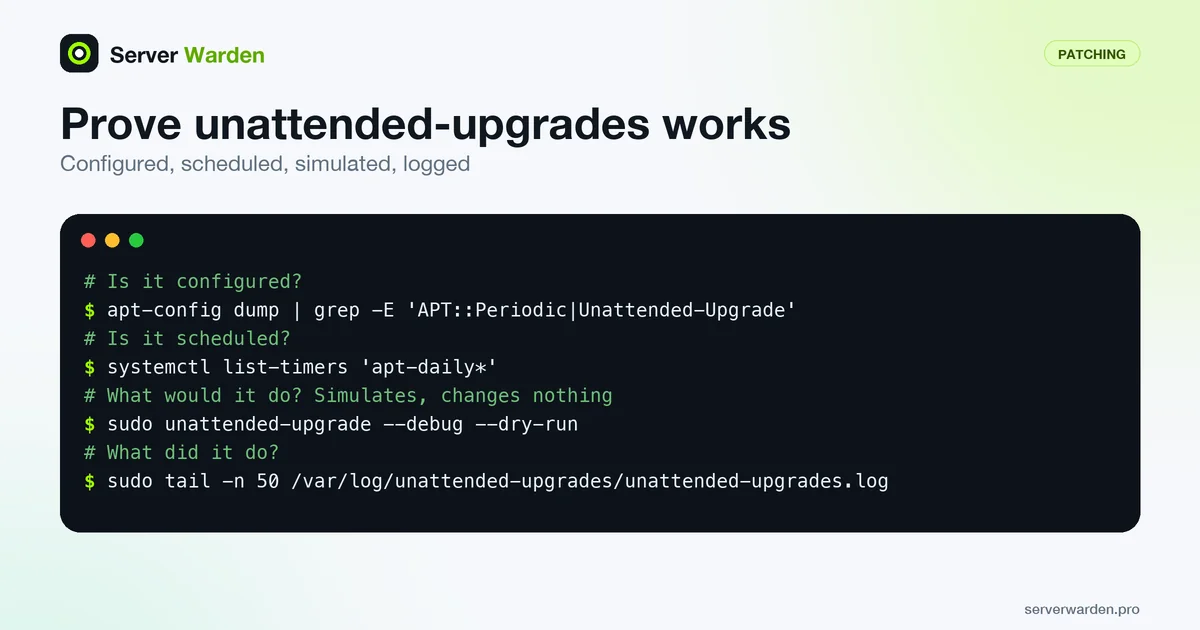
An installed package is not the same as a working update routine. These four commands show whether unattended-upgrades is configured, scheduled and actually doing something:
apt-config dump | grep -E 'APT::Periodic|Unattended-Upgrade'
systemctl list-timers 'apt-daily*'
sudo unattended-upgrade --debug --dry-run
sudo tail -n 50 /var/log/unattended-upgrades/unattended-upgrades.log
The first command prints the effective apt configuration, where both APT::Periodic::Update-Package-Lists and APT::Periodic::Unattended-Upgrade should be set to "1" for a daily run, as the project README explains. The Debian wiki names the two systemd timers involved: apt-daily.timer downloads and apt-daily-upgrade.timer upgrades. According to the unattended-upgrade man page, --dry-run simulates an installation without changing anything and --debug adds detail to the log file. Read that log on a schedule, not only after something breaks, as described in the patch management guide.
A package that stays pending is usually pending for a reason the log will name. The README says unattended-upgrades will not install a package whose dependencies cannot be fetched from allowed origins, and that it holds back any package that would raise a configuration file prompt. Those held-back packages are the ones to finish by hand in your patch window.
Tuning it without breaking later updates
Do not edit the shipped /etc/apt/apt.conf.d/50unattended-upgrades directly. The project README recommends a separate fragment that sorts after it, for example 52unattended-upgrades-local, because package updates to the shipped file can otherwise conflict with your edits. A small override file might look like this:
// /etc/apt/apt.conf.d/52unattended-upgrades-local
Unattended-Upgrade::Package-Blacklist {
    "postgresql";
};
Unattended-Upgrade::Automatic-Reboot "true";
Unattended-Upgrade::Automatic-Reboot-Time "02:00";
Three details from the README are easy to miss. By default only the main and security archives are upgraded, so packages from vendor repositories need an entry in Origins-Pattern, and to replace the stock list instead of extending it you must clear it first. A package on the blacklist is one you now patch by hand, so put it in your patch window. And Automatic-Reboot-Time defaults to "now", so set a quiet hour explicitly before enabling reboots, which happen only when /var/run/reboot-required exists after an upgrade.
Related terms: Patch management, Patch window, Kernel live patching, N-day exploit.
Frequently asked questions
Does unattended-upgrades reboot the server automatically?
Only if explicitly configured to, through the Unattended-Upgrade::Automatic-Reboot setting; by default it typically installs updates without rebooting.
Is this tool specific to one distribution?
It is a Debian and Ubuntu package specifically; other distributions have their own equivalents, such as dnf-automatic on RHEL-based systems.
How do I know if unattended-upgrades is actually running successfully?
Check /var/log/unattended-upgrades/ for its logs, which record exactly which packages were checked and updated on each run.
Where should I put my unattended-upgrades settings?
Put them in a separate file under /etc/apt/apt.conf.d/ that sorts after 50unattended-upgrades, such as 52unattended-upgrades-local. The project README recommends this so that updates to the shipped file do not conflict with your changes.
Can I test unattended-upgrades without installing anything?
Yes. Run sudo unattended-upgrade --debug --dry-run, which simulates the run, then read /var/log/unattended-upgrades/unattended-upgrades.log for the details of what it would have done.
Want to see where your own server stands?
Run the free, read-only server check, or open the Security Lab and watch the detect, contain, recover, verify loop in action.
Get your free server checkOpen the Security Lab