ufw (Uncomplicated Firewall)
ufw (Uncomplicated Firewall) is a simplified frontend for iptables aimed at making common firewall rules easy to write correctly. Common on Ubuntu servers.
What problem ufw actually solves
ufw stands for Uncomplicated Firewall. It is the default firewall configuration tool on Ubuntu.
Writing correct iptables or nftables rules by hand requires understanding chains, tables and rule ordering. ufw wraps that complexity in short commands like "ufw allow 22/tcp", trading some fine-grained control for rules that are much harder to get wrong.
Where ufw is not the right tool
Environments running complex, custom routing or NAT rules, or configuration managed centrally through infrastructure-as-code, usually outgrow ufw's simplified model and manage nftables or iptables rules directly instead.
Our Linux firewall guide includes a safe ufw setup for a small VPS.
Inspecting, editing and previewing ufw rules
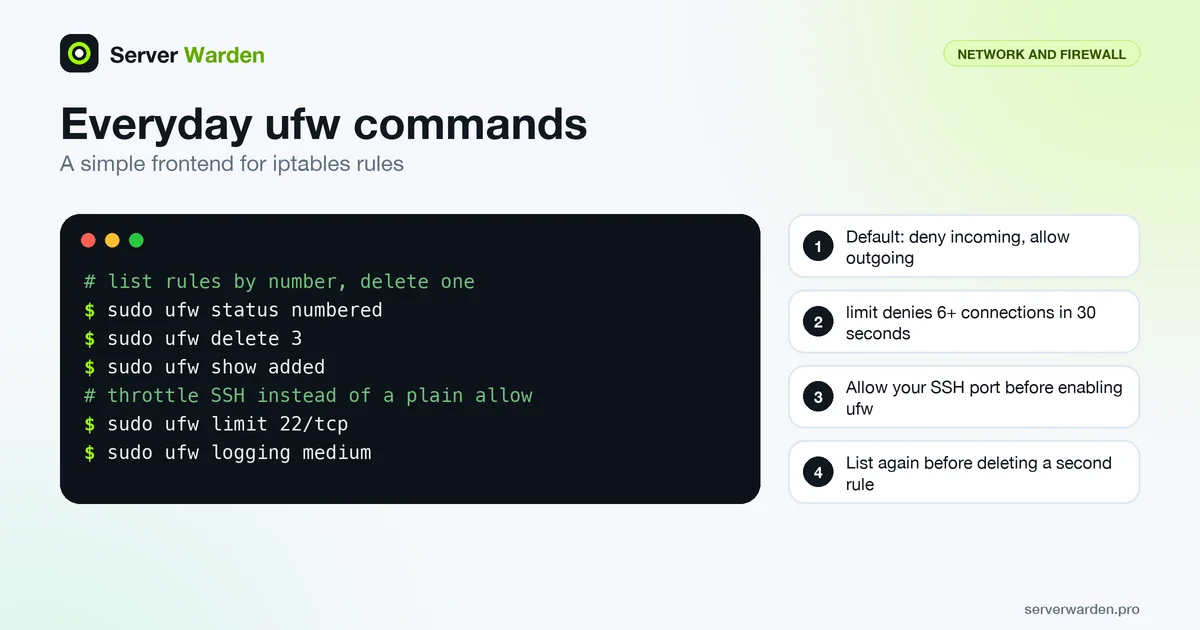
The ufw manual page documents two different views of your rules. ufw status numbered lists the live rules with numbers, while ufw show added lists them as they were entered on the command line, not the live firewall state. Comparing the two is a quick way to spot a rule that was added but never took effect.
sudo ufw status numbered
sudo ufw delete 3
sudo ufw show added
Deleting by number is convenient, but list the rules again before a second delete, because the numbers of the remaining rules can shift. To change a rule safely, add the narrower rule first and delete the broader one afterwards. For example, Ubuntu's documentation shows how to limit SSH to one address:
sudo ufw allow proto tcp from 203.0.113.10 to any port 22Use this only if you always connect from a fixed address, otherwise you can lock yourself out. The --dry-run option prints what a command would change without modifying anything, which is worth using on a remote server. Rule files live under /etc/ufw, and ufw reload reloads the firewall without disabling it. If you also run containers, remember that ufw does not see their published ports, as explained in the Docker host security guide.
Throttling SSH and choosing a logging level
ufw has a built-in brake for brute-force attempts. A limit rule, in the words of the manual, denies connections from an address that attempts to start 6 or more connections within 30 seconds:
sudo ufw limit 22/tcpThat counts connection attempts, not failed logins, so a busy automation that opens many SSH sessions can trip it. It complements, but does not replace, key-based login and fail2ban; the SSH hardening guide covers the full set. Swap the plain SSH allow rule for the limit rule rather than keeping both.
Logging is controlled with ufw logging. The manual lists the levels off, low, medium, high and full, with low as the default, and warns that medium and above can generate large amounts of output:
sudo ufw logging on
sudo ufw logging medium
Raise the level briefly while you investigate a blocked connection, then return to low so log files stay manageable and the entries that matter are not buried. Where the entries go depends on your system's logging setup, so look for the kernel firewall messages in the files described in your distribution's documentation, as discussed in the log analysis guide.
Related terms: iptables, nftables, Default deny policy, Firewall.
Frequently asked questions
Is ufw a different firewall from iptables?
No. On most systems ufw is a friendlier command-line frontend that generates iptables or nftables rules underneath; it does not replace the underlying engine.
Does enabling ufw automatically block everything by default?
Yes, by default ufw denies all incoming connections and allows all outgoing ones, until you explicitly allow specific ports.
Can I lock myself out of a server using ufw?
Yes, if you enable it without first allowing your SSH port. Always run "ufw allow OpenSSH" or the equivalent before enabling the firewall on a remote server.
How do I delete a ufw rule?
Run ufw status numbered to see the rule numbers, then ufw delete followed by the number. List the rules again before deleting another one, since numbering can change after a deletion.
What does ufw limit actually do?
A limit rule allows connections normally but denies them from an address that attempts 6 or more connections within 30 seconds. It slows down brute-force attempts on SSH, but it does not replace key-based login or fail2ban.
Want to see where your own server stands?
Run the free, read-only server check, or open the Security Lab and watch the detect, contain, recover, verify loop in action.
Get your free server checkOpen the Security Lab