SIEM
SIEM (Security Information and Event Management) is a system that centralizes and correlates log data from multiple sources, making it possible to spot patterns that would be invisible looking at any single log file alone.
Why a single server rarely needs a full SIEM
SIEM stands for Security Information and Event Management.
SIEM platforms are built to correlate events across many systems at once, which is where their value comes from. A single small VPS generating a modest volume of logs typically gets more value from simpler, targeted log monitoring than from a full SIEM deployment.
What it becomes valuable for
As infrastructure grows to multiple servers, and especially once a dedicated security or operations team exists to actually review the correlated output, a SIEM starts paying for the overhead of setting it up and tuning it properly.
Our server monitoring and log analysis guide explains where a SIEM fits in server monitoring.
What a small server can do instead of a SIEM
NIST's glossary describes SIEM software, citing SP 800-92, as providing centralized logging capabilities for a variety of log types. The core of that idea is affordable on one VPS: keep logs that survive, and keep a copy where an intruder cannot reach it. Someone with root on a compromised host can edit or delete the local logs, so the off-server copy is what makes the trail trustworthy.
First, make the systemd journal persistent. According to the journald.conf documentation, Storage=auto keeps logs on disk only if the directory /var/log/journal exists; otherwise they live in memory and vanish on reboot. The built-in default is fixed when systemd is compiled, so it can differ between versions and distributions. Setting Storage=persistent in /etc/systemd/journald.conf removes the ambiguity. Then query it directly:
journalctl -u ssh --since yesterday -p warningThe unit is named ssh on Debian and Ubuntu and sshd on the RHEL family. Second, forward a copy to another machine. With rsyslog, an omfwd action does it:
action(type="omfwd" target="logs.example.com" port="514" protocol="tcp")The receiving host should accept logs only from your servers. CISA's guidance for customers of managed providers suggests retaining your most important logs for at least six months, which is a reasonable sizing target. The monitoring guide explains what to look for once they are there.
When a SIEM starts to pay off
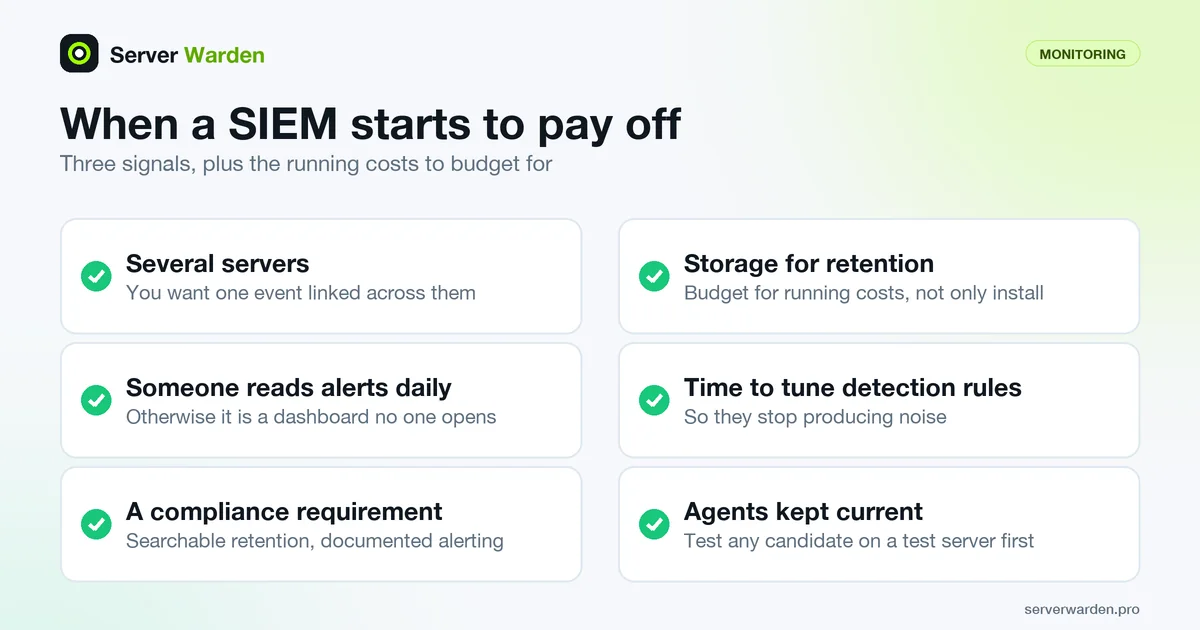
Three signals suggest a small team has outgrown central logs plus manual review. You run several servers and want one event, such as a failed login burst followed by an unusual outbound connection, linked across them. Someone is actually assigned to read alerts every day. Or a compliance requirement demands searchable retention and documented alerting. Without the second condition, the best platform becomes a dashboard no one opens.
Budget for the running costs as well as the install: storage for retention, the time to write and tune detection rules so they stop producing noise, and keeping agents current. Open source options exist. The Wazuh documentation describes it as a free, open source platform that combines XDR and SIEM capabilities, built from an indexer, a server, a dashboard and a single universal agent. Evaluate any candidate on a test server before pointing production at it.
A SIEM complements rather than replaces focused tools: fail2ban still blocks the brute force, and file integrity monitoring still watches the files. On the product page, Server Warden lists SIEM export in its architecture, and says local JSON and CEF output and ingest foundations exist while live remote delivery depends on customer endpoints and credentials, so check the current status there before planning an integration.
Related terms: File integrity monitoring, Incident response, Intrusion prevention, fail2ban, journalctl, rsyslog, auditd.
Frequently asked questions
Is a SIEM necessary for a small VPS running one application?
Usually not. The overhead of deploying and properly tuning a SIEM tends to outweigh the benefit until there are multiple systems whose logs genuinely need correlating.
What is the difference between a SIEM and basic log monitoring?
Basic log monitoring typically watches one or a few sources for specific known patterns; a SIEM ingests logs from many sources and correlates them to surface patterns that would not be visible looking at any single source alone.
Do SIEM platforms replace the need for file integrity monitoring or fail2ban?
No. A SIEM is usually a layer that ingests and correlates the output of tools like these, rather than a replacement for the specific, focused job each one does.
What is the smallest useful step toward a SIEM?
Keep the systemd journal persistent and forward a copy of your logs to a second machine. That alone protects the evidence if the server is compromised, and it is the data any SIEM would need later.
Is Wazuh a SIEM?
Its documentation describes Wazuh as a free, open source security platform that combines XDR and SIEM capabilities, made of an indexer, server and dashboard plus an agent. Whether it suits you depends on whether someone will run and tune it.
Want to see where your own server stands?
Run the free, read-only server check, or open the Security Lab and watch the detect, contain, recover, verify loop in action.
Get your free server checkOpen the Security Lab