Security headers
Security headers are HTTP response headers such as Strict-Transport-Security or X-Content-Type-Options that instruct browsers to enforce additional protections on top of whatever the server itself does.
Why browsers, not the server, enforce these
Security headers work by instructing the visitor's browser to apply extra protections, such as refusing to load the page over plain HTTP or blocking certain types of embedded content, rather than doing anything on the server side beyond sending the instruction.
The most commonly missing ones
Strict-Transport-Security, which forces HTTPS on future visits, and X-Content-Type-Options, which stops browsers from guessing file types in a way that can be abused, are frequently absent even on otherwise well-configured servers.
Our nginx security guide lists the headers to add and how to test them.
Checking what your server really sends
Do not trust the configuration file, check the wire. Dump the response headers for a normal page and for a page that does not exist:
curl -s -D - -o /dev/null https://example.com/
curl -s -D - -o /dev/null https://example.com/no-such-page
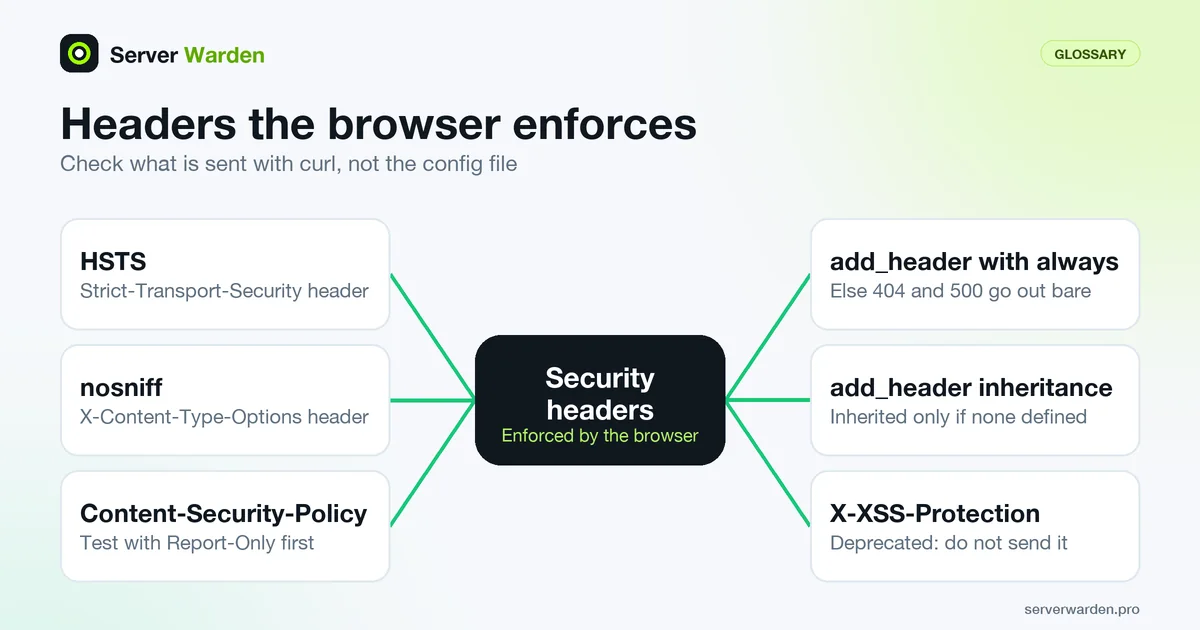
The second request matters because of how nginx's add_header works. Without the always parameter, the header is added only to responses with codes 200, 201, 204, 206, 301, 302, 303, 304, 307 and 308, so your 404 and 500 pages go out bare. The other classic trap is inheritance: add_header directives are inherited from the previous level only if the current level defines none. A single add_header Cache-Control inside a location silently drops every security header set at server level for that location. Repeat the headers there, or on nginx 1.29.3 and later use add_header_inherit merge;. Test your important locations (login, static files, API), not just the home page.
The OWASP Secure Headers Project also maintains a validator subproject if you want a checklist to compare against. The baseline set itself is in the nginx security guide.
Rolling out HSTS and CSP without locking yourself out
Two headers need a staged rollout. Browsers cache a Strict-Transport-Security policy for max-age seconds, and per MDN, setting max-age=0 only takes effect after the browser makes another secure request. A mistake is therefore slow to undo, so begin with a short value and raise it once every subdomain works over HTTPS. Browsers ignore the header over plain HTTP, and it has no effect until a first secure visit. Preloading requires includeSubDomains and a max-age of at least 31536000 (one year).
For Content-Security-Policy, send Content-Security-Policy-Report-Only first. Per MDN's CSP guide, violations are reported but nothing is blocked, and a policy with default-src or script-src stops inline scripts unless they carry a nonce or hash, which is what usually breaks sites.
Finally, drop dead weight. X-Content-Type-Options: nosniff is still worth sending, but MDN marks X-XSS-Protection as deprecated and non-standard, and says a strict CSP replaces it. Pair headers with working TLS, which they depend on.
Related terms: TLS / SSL, nginx, server_tokens, WAF, HSTS, CORS (cross-origin resource sharing).
Frequently asked questions
Do security headers replace the need for TLS?
No. Several security headers, like Strict-Transport-Security, specifically depend on TLS already being in place; they reinforce it rather than substitute for it.
How do I check which security headers a site is currently sending?
Browser developer tools show response headers directly, and several free online header-scanning tools summarize what is present and what is commonly recommended but missing.
Can adding security headers break an existing site?
Occasionally, if a header like Content-Security-Policy is too restrictive for how the site actually loads its own resources; headers should be tested rather than copied blindly from a generic template.
Why is a security header missing on my error pages?
In nginx, add_header only applies to a fixed list of success and redirect status codes unless you add the always parameter. Add always to each header so 404 and 500 responses carry it too.
Should I still send X-XSS-Protection?
No. MDN marks it as deprecated and non-standard, and recommends a Content-Security-Policy instead. Keep X-Content-Type-Options: nosniff, which is still useful.
Want to see where your own server stands?
Run the free, read-only server check, or open the Security Lab and watch the detect, contain, recover, verify loop in action.
Get your free server checkOpen the Security Lab