RECOVERED vs VERIFIED
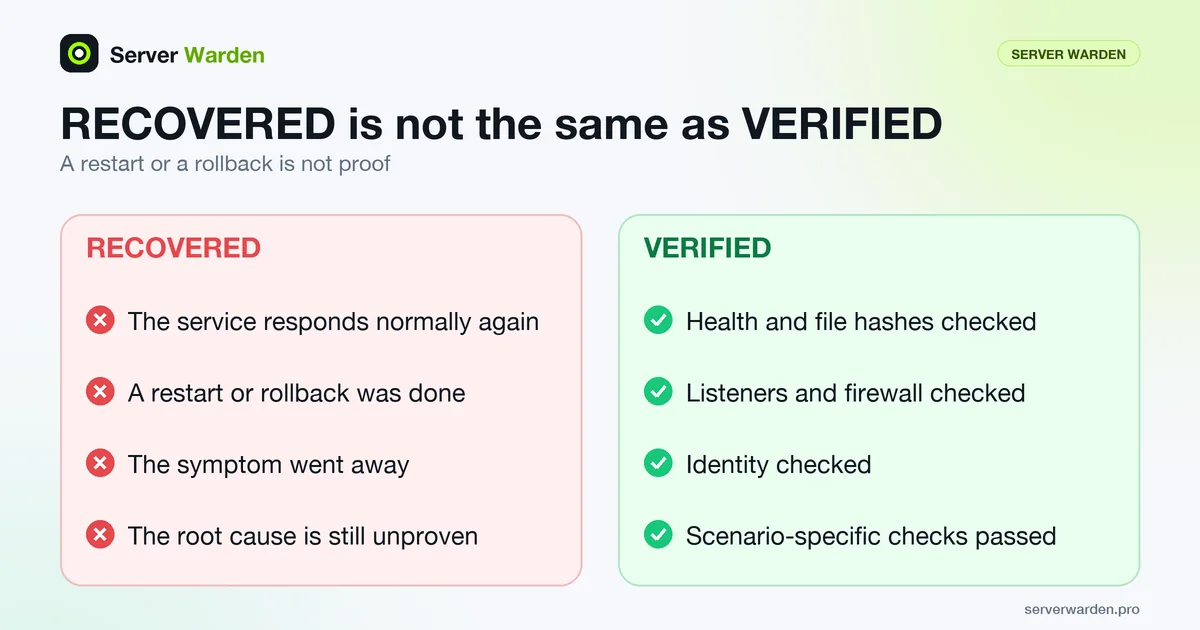
RECOVERED vs VERIFIED is a distinction where a service responding normally again after an incident is only "recovered," while "verified" additionally requires independent checks of files, services and network state to confirm the incident's actual cause was addressed.
Why this distinction gets skipped under pressure
Once a service starts responding normally again, the immediate pressure to restore business operations tends to override the slower, more deliberate work of confirming that the actual root cause was found and fixed, not just that the symptom went away.
What verification actually involves
Checking file integrity against a known-good state, confirming no unauthorized accounts or scheduled tasks were left behind, and reviewing logs for the specific mechanism that allowed the incident, rather than assuming a restart or restore fixed everything.
For how verification fits into a complete recovery, see our server breach incident response guide.
How Server Warden separates the two states
On the product page, Server Warden describes a closed loop: observe, detect, correlate, contain, recover, verify. The page states the rule directly: a restart or a rollback is not proof. VERIFIED is earned only after independent checks of health, hashes, listeners, firewall, identity and checks specific to the scenario that was run.
The Security Lab shows the same idea in a timeline that moves through detected, correlated, recovered and verified, with a Recovery Proof and evidence behind it. Its explanation is simple: a command can succeed and the server can still not be back to normal, so separate checks of the files, services and network involved in that incident run after the action. Only when those pass does the result become VERIFIED.
One point the Lab is explicit about: every run on that page is synthetic. No host is probed, nothing on any machine is restored, and enforcement is reported as observed rather than achieved. It demonstrates the model; it does not assess your server. For that, the site offers the free read-only audit.
Checking the same things by hand
On any server you can approximate the same categories of check. CISA's incident response playbook says recovery should include enhanced vigilance to confirm that no signs of adversary activity remain, and suggests considering an independent test or review of the response activity. Some starting points:
debsums -c
rpm -Va
ss -tulpn
awk -F: '($3 == 0) {print $1}' /etc/passwd
The first two compare installed package files with their recorded checksums (Debian family and RPM family respectively). Be aware that the debsums manual page itself calls the tool of limited use as a security tool: an attacker with root can alter files and the records together, and files outside packages are not covered. A rebuild from a trusted image, or file integrity monitoring with a baseline stored elsewhere, is stronger evidence.
The third lists listening sockets to compare with what you expect; the fourth is the UID 0 check. Add a review of every account's authorized_keys, the active firewall ruleset and scheduled tasks. If any check fails, the incident is not closed: contain again and return to analysis.
Related terms: Incident response, Containment, File integrity monitoring, Read-only audit.
Frequently asked questions
How long does it typically take to move from recovered to verified?
It varies significantly by incident complexity, but rushing this step defeats its purpose; verification should take as long as a proper root-cause investigation actually requires.
Can a service be verified without ever being fully recovered?
Not meaningfully, since verification confirms the fix behind a working, recovered state; there needs to be something functioning to verify in the first place.
Why does this distinction matter for a business owner specifically, not just a technical team?
Because "the site is back up" and "we know why it happened and it will not happen the same way again" are very different levels of assurance, and only one of them actually prevents a repeat incident.
Is a passing health check proof that an incident is resolved?
No. Server Warden states on its product page that a restart or rollback is not proof, and VERIFIED requires independent checks of health, hashes, listeners, firewall, identity and scenario-specific conditions.
Does the Security Lab verify my own server?
No. Every run in the Security Lab is synthetic: no host is probed and nothing is restored on any machine. To look at your real server, use the free read-only check.
Want to see where your own server stands?
Run the free, read-only server check, or open the Security Lab and watch the detect, contain, recover, verify loop in action.
Get your free server checkOpen the Security Lab