nftables
nftables is the modern replacement for iptables on Linux, part of the same netfilter framework but with cleaner syntax and better performance at scale.
What actually changed from iptables
nftables replaces the older, harder-to-read rule syntax with a single unified framework, removes the separate tools that used to exist for IPv4 and IPv6, and evaluates rule sets more efficiently at scale on servers handling heavy traffic.
Where teams still get stuck
A lot of existing tutorials, internal scripts and configuration management modules were written for iptables syntax. Migrating a server with an established iptables rule set to nftables usually means rewriting rules rather than a simple one-line switch.
See how nftables compares with iptables and ufw, with example rules, in our Linux firewall guide.
A minimal server ruleset and how to load it safely
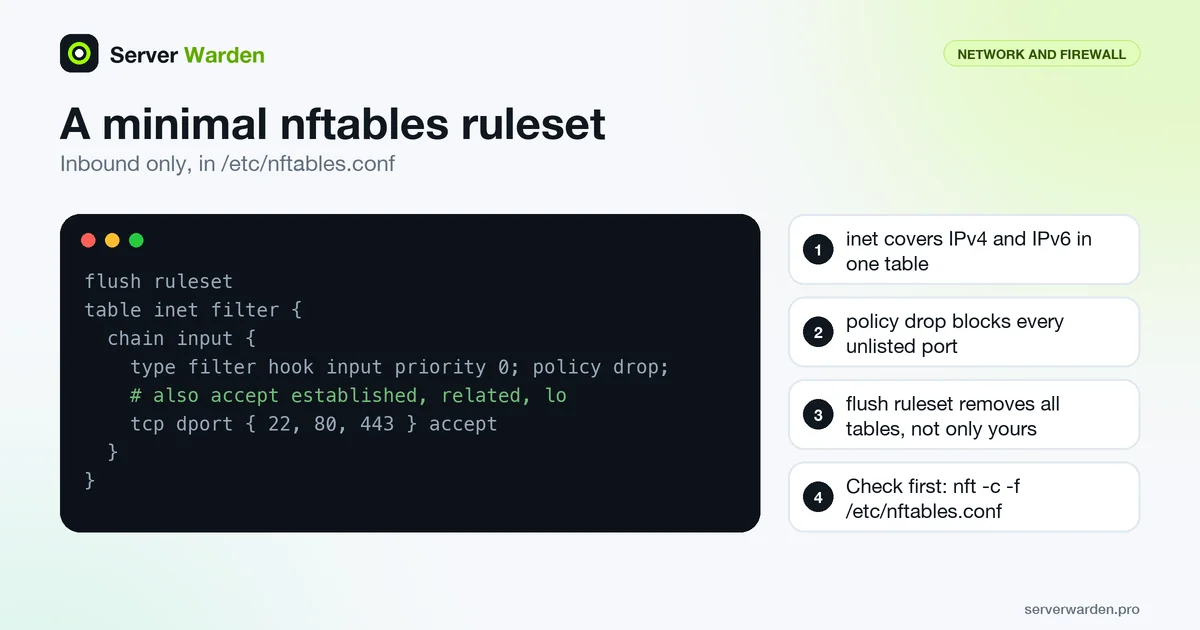
On Debian, rules live in /etc/nftables.conf and are loaded at boot once you run systemctl enable nftables.service, according to the Debian wiki. A small inbound-only ruleset, adapted from the nftables wiki sample for a server, looks like this:
flush ruleset
table inet filter {
    chain input {
        type filter hook input priority 0; policy drop;
        ct state vmap { established : accept, related : accept, invalid : drop }
        iifname lo accept
        icmpv6 type { nd-neighbor-solicit, nd-router-advert, nd-neighbor-advert } accept
        tcp dport { 22, 80, 443 } accept
    }
}
The neighbour discovery line matters: the wiki notes that connectivity breaks over IPv6 without it. The inet family covers IPv4 and IPv6 in one table. Be careful with the first line, because flush ruleset removes all tables, not only yours, so rules created by other software are deleted too.
Check the file before applying it, then load it. Loading with -f replaces the rules atomically, so there is no window with a half-loaded ruleset:
sudo nft -c -f /etc/nftables.conf
sudo nft -f /etc/nftables.conf
sudo nft list ruleset
Migrating from iptables and keeping the ruleset readable
You do not have to rewrite an iptables rule set by hand. The nftables project documents a translation path in its migration guide:
iptables-save > save.txt
iptables-restore-translate -f save.txt > ruleset.nft
nft -f ruleset.nft
nft list ruleset
Read the output before trusting it. The guide notes that translated syntax differs from the original and that where no direct translation exists, the result contains a commented-out rule, so each of those needs a manual decision. It also recommends moving on to native features such as sets and verdict maps once the migration works. For one-off rules, iptables-translate shows the nft equivalent of a single command.
Two habits keep a ruleset maintainable. Use nft -a list ruleset to show rule handles, which are what the delete rule command needs, and keep the whole configuration in one file that you load as a unit instead of adding rules by hand and forgetting them. Without a flush at the top, reloading the same file can leave duplicate rules, as the wiki warns for table-level loads. Finally, do not run nft and legacy iptables tools side by side, a combination the project warns can lead to unexpected results. The rate limiting entry shows a common reason to reach for nft sets.
Related terms: iptables, ufw, Firewall, Rate limiting.
Frequently asked questions
Is nftables a completely separate firewall from iptables?
No. Both sit on top of the same underlying Linux netfilter framework; nftables is simply the newer interface to it.
Which distributions use nftables by default now?
Most current versions of Debian, Ubuntu and RHEL default to nftables as the underlying engine, even when older commands are still available for compatibility.
Do I need to migrate an existing iptables setup right away?
Not urgently, since the iptables commands still work through a compatibility layer on most systems, but new firewall configuration is generally worth writing directly in nftables going forward.
How do I test an nftables file before loading it?
Run nft -c -f followed by the file name. The check option validates the commands without applying them, so a syntax error cannot leave you with a broken or empty firewall on a remote server.
Will rules I add by hand with nft survive a reboot?
No. Commands typed at the prompt only change the running ruleset. To keep rules, put them in the file your distribution loads at boot, such as /etc/nftables.conf on Debian, and enable the nftables service.
Want to see where your own server stands?
Run the free, read-only server check, or open the Security Lab and watch the detect, contain, recover, verify loop in action.
Get your free server checkOpen the Security Lab