N-day exploit
An n-day exploit is an attack against a vulnerability that is already publicly known and already has a patch available. Most real-world server compromises use n-day exploits against servers that simply have not been patched yet, not zero-days.
Why this is the more common real-world risk
The overwhelming majority of successful attacks exploit vulnerabilities that were disclosed, and often patched, weeks, months or even years earlier. Attackers rely on the fact that many servers are slow to apply available patches.
The race that matters
Once a vulnerability and its patch become public, attackers frequently reverse-engineer a working exploit within days. The gap between a patch becoming available and it actually being applied is where most real damage happens.
Our server patch management guide shows how to shrink the gap between a fix being published and applied.
Is the fix already on my server? Backports and version numbers
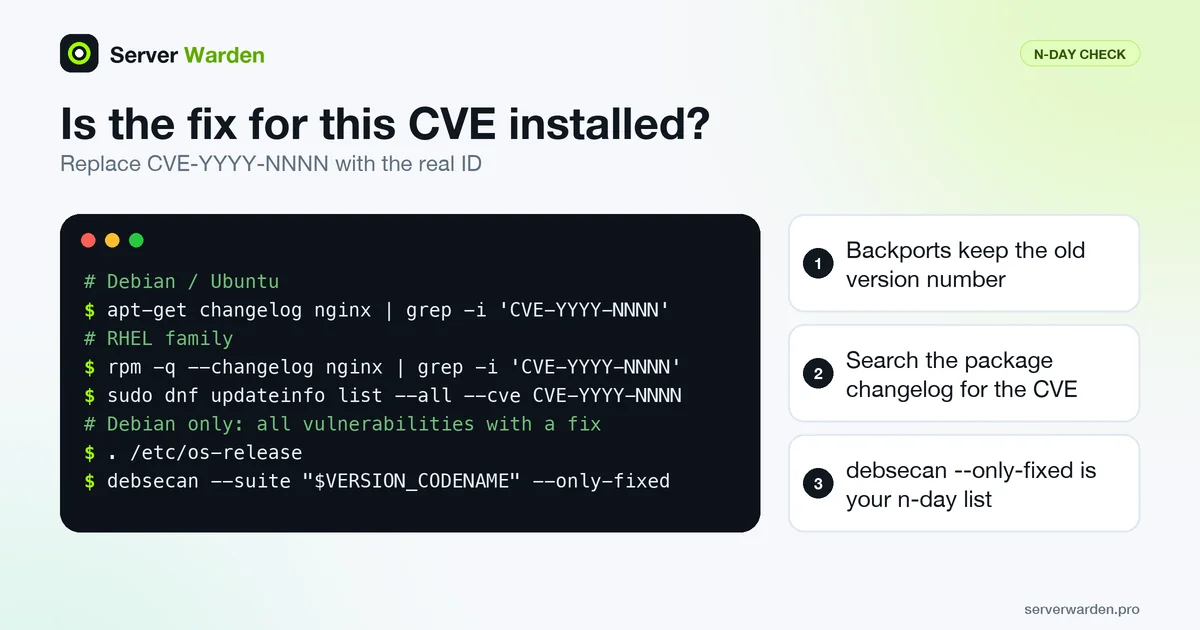
A scanner or a news item says your version is vulnerable, but stable Debian and Ubuntu releases usually keep the original version number and backport only the fix. The Debian security FAQ says this directly: Debian backports security fixes into the shipped version, so check the package changelog or compare the exact version with the advisory instead of judging by the number alone. These commands answer the question for a specific CVE (replace the placeholder with the real ID):
# Debian / Ubuntu
apt-get changelog nginx | grep -i 'CVE-YYYY-NNNN'

# RHEL family
rpm -q --changelog nginx | grep -i 'CVE-YYYY-NNNN'
sudo dnf updateinfo list --all --cve CVE-YYYY-NNNN

# Debian only: every known vulnerability that already has a fix
. /etc/os-release
debsecan --suite "$VERSION_CODENAME" --only-fixed
According to the debsecan man page, --only-fixed limits the report to vulnerabilities with a fix in the archive, which is exactly the n-day list for your host. Install what it names through your normal patch management routine. When the changelog is silent and no update is pending, look the CVE up in the Debian Security Tracker, which the Debian FAQ names as the place to check the state of every CVE ID, including a note when Debian decided not to issue a security update.
Which n-days to fix first
Not every CVE deserves the same urgency. The strongest signal is evidence that it is already being used in attacks, and CISA publishes that as the KEV catalog, with a machine-readable JSON feed. The fields in each entry include cveID, dateAdded, dueDate, requiredAction and knownRansomwareCampaignUse:
curl -s https://www.cisa.gov/sites/default/files/feeds/known_exploited_vulnerabilities.json \
  | jq --arg id CVE-YYYY-NNNN '.vulnerabilities[] | select(.cveID==$id) | {cveID,dateAdded,dueDate,requiredAction}'
No output means the CVE is not listed, which is not proof that nobody is attacking it. The due dates formally bind US federal agencies, but CISA's KEV page strongly recommends that all organizations prioritize the listed vulnerabilities, and our KEV priority guide shows how that works in practice.
Second, ask whether the vulnerable code is reachable on your server. The OpenSSH CVE-2026-35414 write-up explains why servers that use plain public-key login are not exposed, while the NGINX Rift analysis shows how to grep your configuration for the trigger. Even then, patching is still the correct end state.
Related terms: Patch management, Patch window, CVSS, CISA KEV catalog.
Frequently asked questions
Is an n-day exploit less dangerous than a zero-day?
Not necessarily. Since the vulnerability is public and often well documented, exploit code can circulate quickly, making n-day attacks in some ways easier for attackers to execute at scale.
How fast should patches be applied to avoid this risk?
As close to immediately as your testing process allows, particularly for anything marked critical; delays measured in weeks are where most n-day attacks succeed.
Does automated patching solve this problem?
It significantly reduces the exposure window for most routine updates, though critical fixes sometimes still warrant manual, expedited review rather than waiting for the next scheduled unattended-upgrades run.
A scanner reports an old version number, but I installed all updates. Am I vulnerable?
Not necessarily. Debian says it backports security fixes into the version it shipped, so the version number can look old even though the fix is present. Check the package changelog with apt-get changelog, or compare the exact version against the security advisory.
How do I check whether a CVE is on the CISA KEV catalog?
Search the catalog on the CISA website, or download its JSON feed and filter on the cveID field, for example with jq. If the CVE is listed, the entry shows when it was added and the required action.
Want to see where your own server stands?
Run the free, read-only server check, or open the Security Lab and watch the detect, contain, recover, verify loop in action.
Get your free server checkOpen the Security Lab