Kernel live patching
Kernel live patching is the practice of applying security fixes to a running Linux kernel without rebooting the server, useful when scheduled downtime is difficult to arrange.
Why this matters for uptime-sensitive servers
The feature is also called livepatch, the name used in the Linux kernel documentation. See livepatch.
A kernel security fix traditionally requires a full reboot to take effect, which means a window of downtime, however brief, on every server that needs it. Live patching applies the fix to the running kernel in memory, avoiding that window entirely for supported updates.
Its limits
Not every kernel fix can be applied live; some structural changes still require a traditional reboot. Live patching is typically used to buy time until a scheduled maintenance window, rather than as a permanent substitute for eventually rebooting onto the fully updated kernel.
Our server patch management guide covers kernel live patching alongside regular reboots.
Check first whether your VPS can use it at all
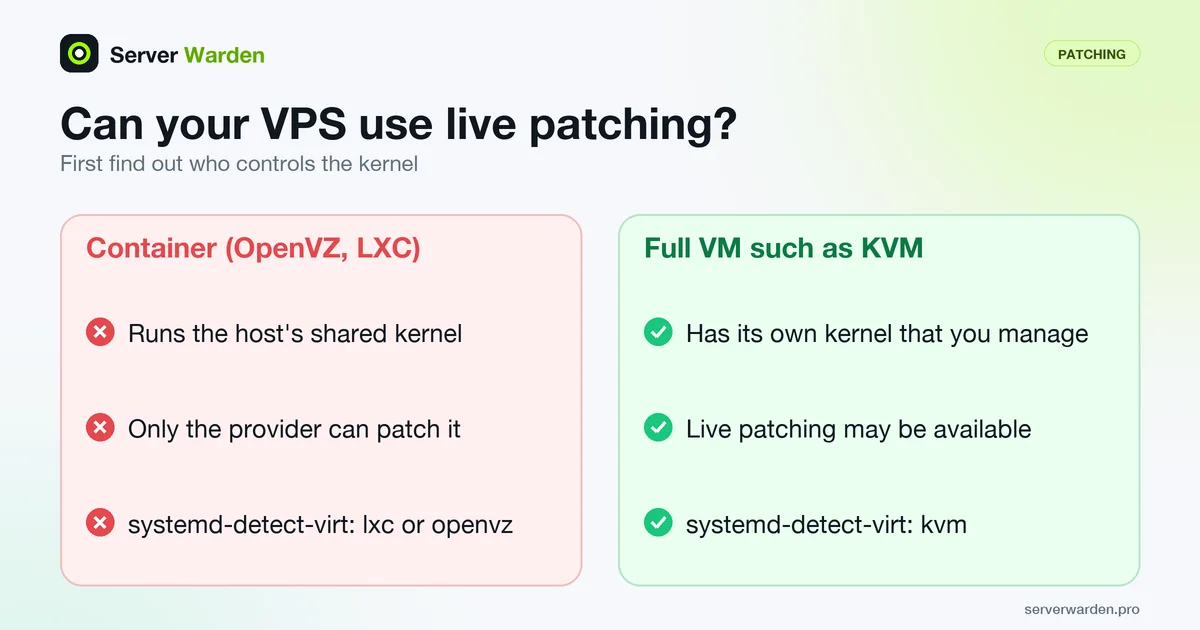
Live patching changes the kernel your server is running, so it only makes sense if you control that kernel. The systemd documentation describes container virtualization (OpenVZ, LXC, Docker and similar) as shared kernel virtualization, which means a container-based VPS runs the host's kernel and only the provider can patch it. A full virtual machine, such as KVM, has its own kernel that you manage. Start with:
systemd-detect-virt
uname -r

# Ubuntu
sudo pro status
sudo canonical-livepatch status

# RHEL family
sudo kpatch list
According to Canonical's Livepatch how-to, sudo pro enable livepatch turns the service on, but patches are specific to a kernel version: on an unsupported kernel you can enable it and still receive nothing, and pro status prints a warning. The upstream kpatch list command shows installed patch modules on systems that use kpatch. Canonical's Livepatch page describes the free tier as covering up to 5 machines for personal use or evaluation, so check the terms before relying on it for a business server.
What a live patch does not do
The kernel's livepatch documentation explains the mechanism: a patched function is swapped in through ftrace, so only functions that can be traced can be patched. The switch happens per task when it is safe, usually within seconds, but a patch can stay in transition indefinitely if a task never reaches a safe point. The file /sys/kernel/livepatch/<patch>/transition shows that state.
Vendors limit the scope as well. The same Canonical page states that Livepatch targets kernel vulnerabilities with high or critical ratings that are practical to patch safely in memory, and it says plainly that the service is not a replacement for rebooting. Lower severity fixes wait for a normal kernel update. Keep checking whether the running kernel matches the installed one:
sudo needrestart -kThe -k option of needrestart checks for an obsolete kernel. Schedule the reboot in your patch window, and see the patch management guide for how live patching fits alongside it.
Related terms: Patch management, unattended-upgrades, Zero-day exploit, Livepatch.
Frequently asked questions
Does live patching replace the need to ever reboot?
No. It defers the need for an immediate reboot for supported fixes, but a scheduled reboot is still generally recommended periodically to ensure the running kernel matches what is actually installed on disk.
Is kernel live patching available on every Linux distribution?
It depends on the distribution and often requires a specific subscription or package, such as Canonical Livepatch on Ubuntu or kpatch on RHEL-based systems.
Is live patching risky compared to a normal reboot?
It carries its own, generally small, risk profile, since it modifies a running kernel in memory, but for supported patches it is considered production-safe by the vendors who offer it.
How do I know if my VPS can use live patching?
Run systemd-detect-virt. If it reports a container type such as lxc or openvz, the server shares the host kernel and only the provider can patch it. If it reports a full virtual machine such as kvm, you manage your own kernel and live patching may be available.
Does live patching cover every kernel vulnerability?
No. Canonical says Livepatch targets high and critical kernel vulnerabilities that are practical to patch safely in memory. Other fixes arrive through a normal kernel package and take effect after a reboot.
Want to see where your own server stands?
Run the free, read-only server check, or open the Security Lab and watch the detect, contain, recover, verify loop in action.
Get your free server checkOpen the Security Lab