Jail (fail2ban)
A jail in fail2ban is a specific monitoring rule set targeting one service, such as an sshd jail or an nginx-http-auth jail, each with its own ban conditions.
Why one server usually runs several jails at once
Each jail watches a different log file and service, so a server exposing SSH, a web application, and mail might run three separate jails simultaneously, each with its own ban thresholds tuned to that service's normal traffic patterns.
What goes wrong when a jail is misconfigured
A jail pointed at the wrong log file path, or using a filter regex that does not match the actual log format on a given distribution, will silently fail to trigger, leaving the operator believing they are protected when no bans are actually happening.
Our fail2ban setup guide walks through writing and testing jails step by step.
Anatomy of a jail definition
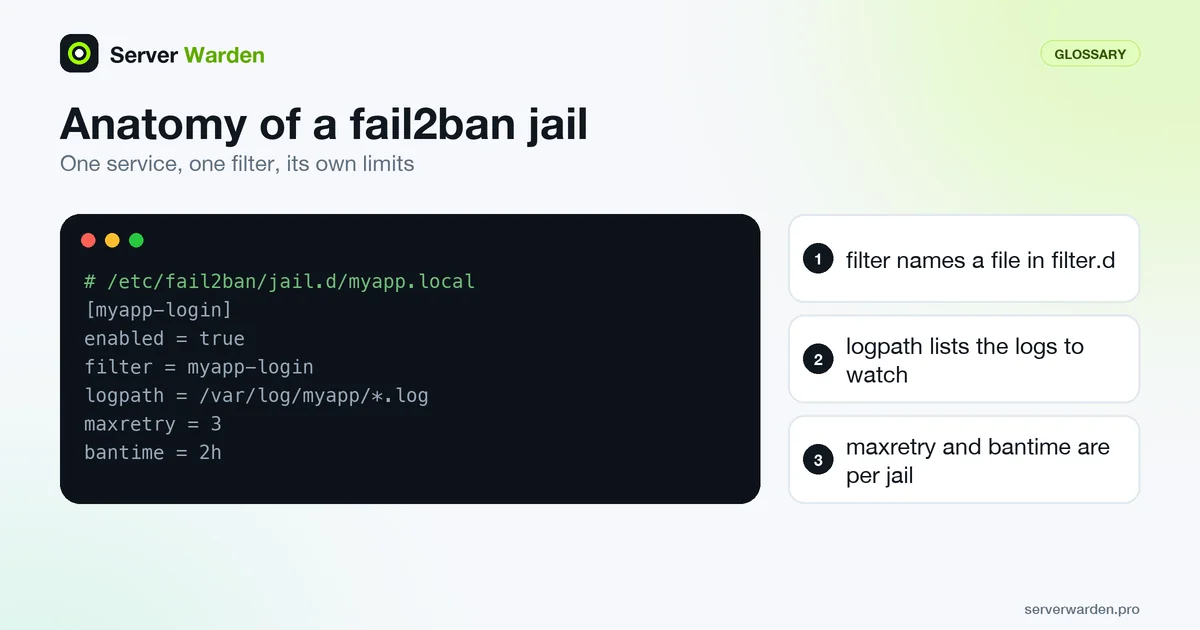
A jail is a section of the configuration that wires a log source to a filter. The jail.conf(5) manual page defines the pieces. filter names a file in /etc/fail2ban/filter.d/ without its extension, and only one filter can be given. logpath lists the log files to watch and accepts globs. journalmatch narrows the journal entries and applies only to the systemd and auto backends. The backend itself can be auto, pyinotify, polling or systemd, and a jail can name more than one action on separate lines. A custom jail for your own application might look like this:
# /etc/fail2ban/jail.d/myapp.local
[myapp-login]
enabled  = true
filter   = myapp-login
logpath  = /var/log/myapp/*.log
maxretry = 3
bantime  = 2h
The matching myapp-login.conf filter must exist in filter.d. Configuration is read in a fixed order: jail.conf, then jail.d/*.conf, then jail.local, then jail.d/*.local, so a .local file always overrides the shipped defaults. A filter name can also carry options in brackets, such as the sshd[mode=aggressive] form shown in the fail2ban-regex manual page; read the comments in your installed filter file to see which modes it supports.
Operating a single jail day to day
The fail2ban-client(1) page documents the commands you will use after a jail is live:
sudo fail2ban-client status sshd
sudo fail2ban-client get sshd banip --with-time
sudo fail2ban-client banned 203.0.113.9
sudo fail2ban-client set sshd unbanip 203.0.113.9
sudo fail2ban-client get sshd ignoreip
status accepts an optional flavor (basic, cymru, short or stats). banned without arguments lists every jail that currently holds bans, and with an address it tells you which jails banned it, which answers the question "who blocked this customer" in one step. unban --all clears every jail and the database at once, so reserve it for emergencies and prefer unbanip for a single address. You can also exempt an address at runtime with set sshd addignoreip.
Treat runtime commands as temporary and write anything permanent into jail.local, so the configuration file stays the source of truth. After a change, confirm the jail is still counting matches with status. The setup guide shows complete jails for SSH and nginx, and the monitoring guide explains how to alert when a jail stops banning.
Related terms: fail2ban, Intrusion prevention, Brute-force attack.
Frequently asked questions
Do all jails share the same ban settings?
No, each jail can have its own thresholds, ban time, and filter, configured independently in fail2ban's jail.local file or equivalent.
How do I check if a specific jail is actually active?
Run fail2ban-client status to see all active jails, and fail2ban-client status
Can I write a custom jail for an application not supported out of the box?
Yes. fail2ban supports custom filters using regular expressions matched against any log file you point it at, not just its built-in service definitions.
How do I find out which jail banned an address?
Run fail2ban-client banned followed by the address. It returns the jails in which that address is currently banned.
Can I exempt an address from one jail only?
Yes. ignoreip is a jail option, so list the address in that jail section, or add it at runtime with fail2ban-client set followed by the jail name and addignoreip.
Want to see where your own server stands?
Run the free, read-only server check, or open the Security Lab and watch the detect, contain, recover, verify loop in action.
Get your free server checkOpen the Security Lab