Intrusion prevention
Intrusion prevention is software that automatically detects and blocks malicious behavior, such as fail2ban banning an IP after repeated failed logins, rather than only logging it for a human to review later.
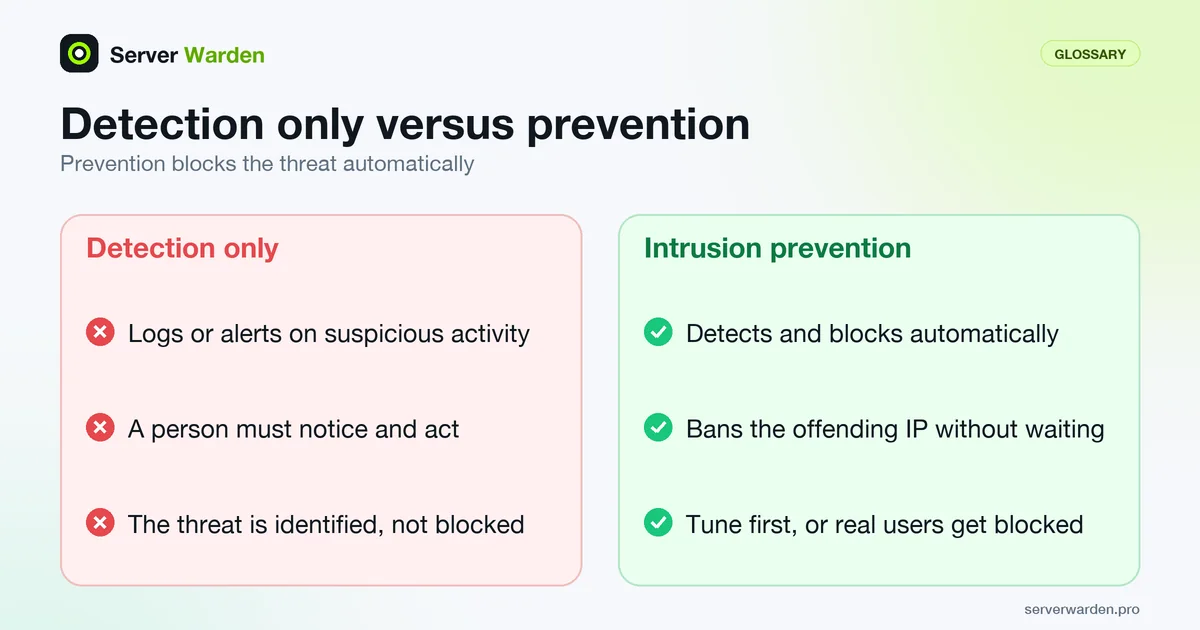
How this differs from detection alone
A system that only logs or alerts on suspicious activity still requires a person to notice and act. Intrusion prevention takes the additional step of automatically blocking the identified threat, such as banning an offending IP address, without waiting for a human response.
The trade-off it introduces
Automatically blocking based on a pattern always carries some risk of a false positive blocking a legitimate user. Well-tuned intrusion prevention tools, like fail2ban's jail configuration, balance this by requiring a clear, repeated pattern before acting.
For a working setup, see our fail2ban setup guide.
Where host-based prevention fits on a single VPS
NIST SP 800-94, the Guide to Intrusion Detection and Prevention Systems published in 2007, groups the technology into four types: network-based, wireless, network behaviour analysis and host-based. A host-based system watches a single machine: its network traffic, system logs, running processes, application activity, file changes and configuration changes. NIST says such systems are most often deployed on critical hosts such as publicly accessible servers, which describes a VPS exactly. It also says most environments need a combination of network-based and host-based tools.
On a rented server you normally control only the host layer, so map the idea onto tools you already have. fail2ban reads logs and changes the firewall, which NIST lists as one of the response techniques (stopping the attack, changing the security environment, or changing the attack's content). The firewall narrows what can be reached at all. File integrity monitoring covers the file-change part, though only as detection. Network-level filtering against floods is a provider or edge job, covered in the DDoS protection guide. No single piece is a complete system, so the firewall guide is the natural companion.
Tune before you let it block
NIST is direct about the cost of automatic blocking: IDPS products cannot be completely accurate, and all of them produce false positives (benign activity flagged) and false negatives (attacks missed). Tuning toward fewer missed attacks raises the false positives you must sort through. The guide recommends that a new deployment first activate only a few sensors or agents with prevention disabled, because a new deployment is likely to produce many false positives until tuned. It also describes a learning or simulation mode in some products that shows when a prevention action would have run without running it.
For fail2ban the nearest equivalent is to test before you enable. fail2ban-regex shows what a filter would match in your real logs without banning anyone, and a generous ignoreip list keeps your own management addresses safe. Raise strictness gradually, watch the ban list for addresses you recognise, and keep a documented way to unban a legitimate user. Our fail2ban setup guide walks through safe thresholds, and the monitoring guide shows how to review bans so a wrong block is noticed in hours rather than weeks.
Related terms: fail2ban, fail2ban jail, Firewall, Brute-force attack.
Frequently asked questions
Is intrusion prevention the same as a firewall?
Related but distinct. A firewall enforces static rules about which connections are allowed; intrusion prevention actively watches behavior and adds new blocks dynamically based on what it observes.
Can intrusion prevention accidentally block a real customer?
Yes, if thresholds are set too aggressively or a legitimate user genuinely mistypes credentials repeatedly. Reasonable thresholds and a documented unban process reduce this risk.
What is the most common intrusion prevention tool on Linux?
fail2ban, which is widely used specifically because it is straightforward to configure for common services like SSH and web login forms.
Should I run prevention in monitor-only mode first?
It is the safer way to start. NIST SP 800-94 advises activating new sensors or agents with prevention disabled until false positives are tuned out, and notes some products have a simulation mode that shows what would have been blocked.
Do I need a network-based system on a single VPS?
NIST says most environments need both network-based and host-based tools, but on a rented server you usually control only the host layer. Cover that with a firewall, fail2ban and file monitoring, and rely on your provider or an edge service for network-level filtering.
Want to see where your own server stands?
Run the free, read-only server check, or open the Security Lab and watch the detect, contain, recover, verify loop in action.
Get your free server checkOpen the Security Lab