fail2ban
fail2ban is a widely used intrusion-prevention tool that watches log files for patterns like repeated failed logins and temporarily or permanently bans the source IP address using the server's firewall.
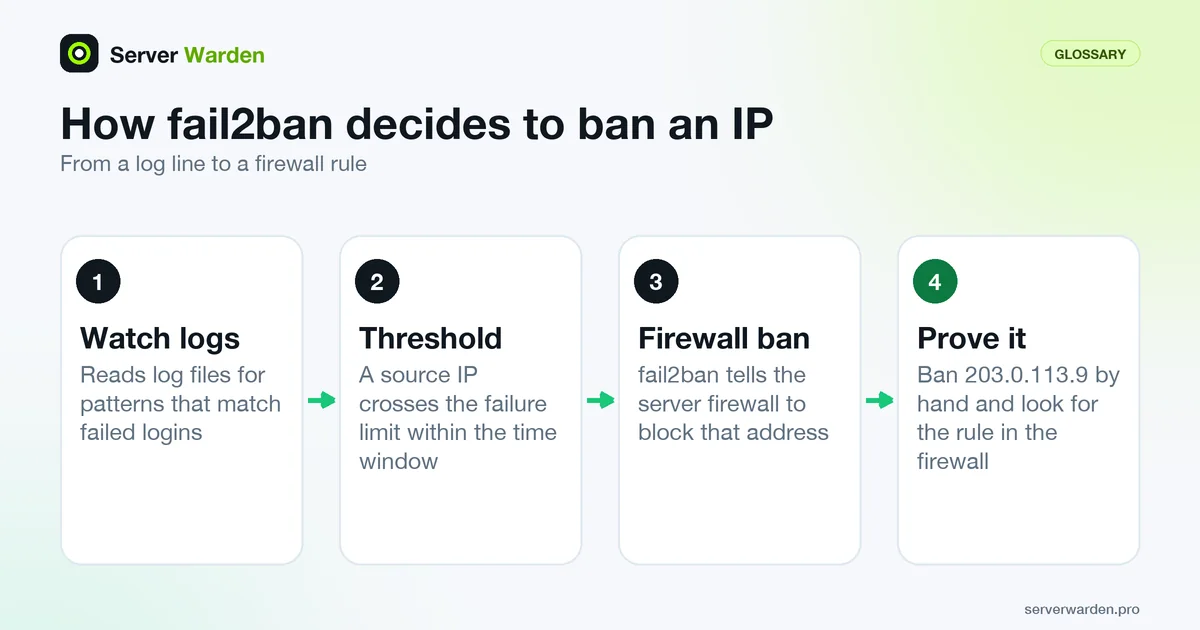
How it actually decides to ban an address
fail2ban watches specific log files for patterns matching failed login attempts, and once a source IP crosses a configured threshold of failures within a set time window, it instructs the server's firewall to block that address, either temporarily or permanently.
Why it complements, not replaces, other controls
fail2ban reduces the volume of brute-force attempts that even reach the point of being tried against your login system, but it does nothing to strengthen the login itself, which is why it is typically paired with key-based authentication rather than used alone.
For installation, jail configuration and testing, follow our fail2ban setup guide.
Check the filter against your real logs
An enabled jail can still be blind. The usual cause is a filter that does not match the log format on your distribution, and fail2ban lets you test that without banning anyone. The fail2ban-regex(1) manual page describes a tool that reads a log (a file name or systemd-journal) and a filter, then reports which lines matched. Run it next to a configuration test:
sudo fail2ban-client -t
sudo fail2ban-regex /var/log/auth.log /etc/fail2ban/filter.d/sshd.conf
sudo fail2ban-regex systemd-journal /etc/fail2ban/filter.d/sshd.conf
The first command tests the configuration, as the fail2ban-client(1) page documents. If the filter matches nothing in a log that clearly contains failed logins, add --print-all-missed to see the lines it skipped: that mismatch is the reason the jail will never ban. The jail.conf(5) page adds two details worth remembering. A logpath glob only covers files that exist when fail2ban starts, and the default auto backend switches to the journal only when no log files are found and a journalmatch is set. After any change to log layout, reload and test again.
Run a test ban from start to finish
The only proof that a ban works is a ban you can see in the firewall. Ban a reserved documentation address by hand, confirm it appears, then undo it:
sudo fail2ban-client set sshd banip 203.0.113.9
sudo fail2ban-client get sshd banip --with-time
sudo nft list ruleset
sudo iptables -S
sudo fail2ban-client set sshd unbanip 203.0.113.9
Use whichever of the two firewall listing commands matches your host. The default ban action is iptables-multiport according to jail.conf(5), so on a server whose firewall is managed through nftables or another tool, check that the banaction your distribution configured really produces a rule you can see. If fail2ban reports an address as banned but the firewall shows nothing, the jail is decorative. Also remember that ignoreself defaults to true, so failed logins from the server's own addresses never trigger a ban, which can fool a test run from the machine itself.
Once a change passes, apply it with sudo fail2ban-client reload, which re-reads the configuration without restarting the server. For the full jail layout, see the setup guide, and for the SSH side of the same defence, the SSH hardening guide.
Related terms: fail2ban jail, Intrusion prevention, Brute-force attack, Rate limiting, MaxAuthTries, journalctl.
Frequently asked questions
Does fail2ban work for services other than SSH?
Yes. It ships with jail configurations for many common services, including web server authentication and mail servers, and can be extended with custom filters for other logs.
How long does a fail2ban ban typically last?
It is configurable, ranging from a few minutes to permanent, and many setups use escalating ban times that grow longer for repeat offenders.
Can a legitimate user get banned by fail2ban by accident?
Yes, if they mistype credentials enough times within the configured window. Most setups include a documented way to request an unban or a generous enough threshold to avoid this in normal use.
How can I test a fail2ban filter without banning anyone?
Run fail2ban-regex with a log file or systemd-journal and the filter file. It reports which lines match, and the --print-all-missed option lists the ones that do not.
Can I apply a fail2ban change without restarting the service?
Yes. fail2ban-client reload re-reads the configuration without restarting the server, and fail2ban-client -t checks the configuration for errors first.
Want to see where your own server stands?
Run the free, read-only server check, or open the Security Lab and watch the detect, contain, recover, verify loop in action.
Get your free server checkOpen the Security Lab