Default deny policy
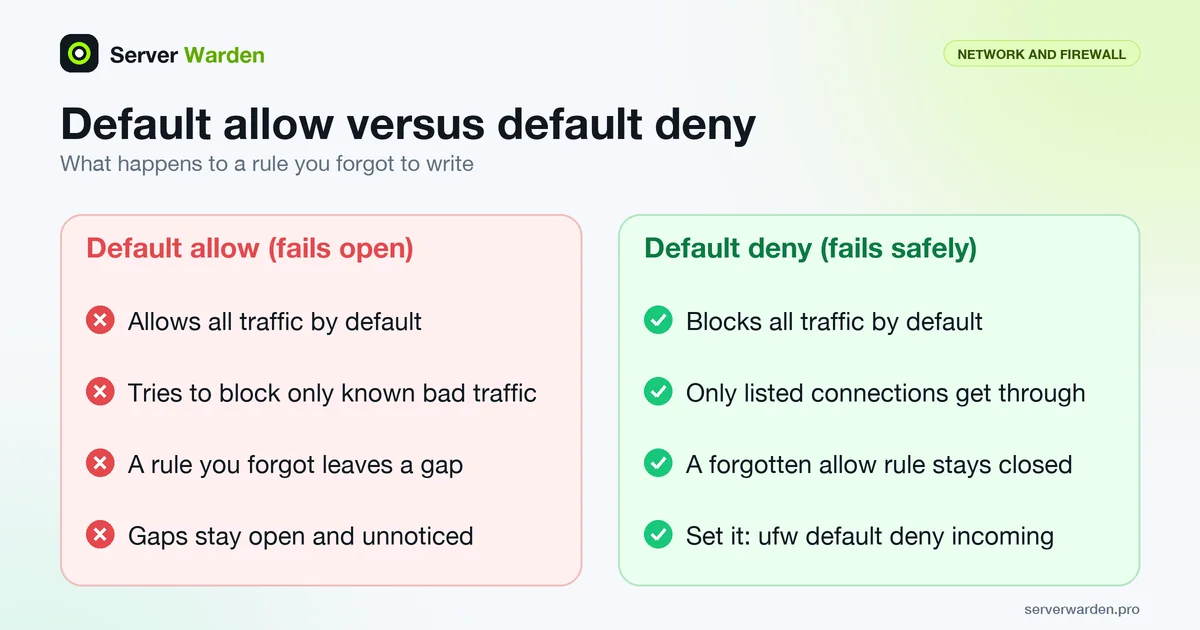
A default deny policy is a firewall configuration that blocks all traffic by default and only allows specific, explicitly listed connections through. The opposite, and much riskier, approach allows everything by default and tries to block only known bad traffic.
Why this is the recommended default everywhere
A default deny policy fails safely: anything you forgot to explicitly allow simply does not get through, rather than sitting open and unnoticed. The opposite, default allow, fails open, meaning any rule you forgot to write leaves a gap.
What it costs you in practice
Every legitimate service needs an explicit rule before it will work, which means a default deny policy demands you actually know what your server is supposed to be doing. That upfront cost is exactly what makes it effective.
For a step-by-step default-deny setup that keeps SSH reachable, see our Linux firewall guide.
Where the default policy lives in each tool
Every Linux firewall tool has a place where the default is set, and the setting only applies to packets that no rule matched. That is why the order of work matters: write the allow rules first, then flip the default.
- ufw:
ufw default deny incoming. The manual says the default command takes a direction: incoming, outgoing or routed. - iptables:
iptables -P INPUT DROP. The iptables(8) manual states that a built-in chain's policy target must be ACCEPT or DROP. - nftables:
policy drop;inside the base chain declaration, as in the nftables server sample.
Before switching an iptables or nftables chain to drop, make sure two rules exist: one accepting established and related connections, so replies to your own SSH session keep flowing, and one accepting the loopback interface, which local services use to talk to each other. The nftables sample does both before anything else.
Treat the policy as a safety net, not as your only rule. A chain with policy drop and a final explicit drop or reject rule that logs is easier to debug, because you can see what was refused. The Linux firewall guide shows the exact commands for ufw and nftables.
Rolling it out without locking yourself out
On a remote server the risk is a lost SSH session. From a root shell, save the current rules and arm a timer that restores them, then change the policy:
iptables-save > /root/fw.backup
(sleep 120; iptables-restore < /root/fw.backup) &
iptables -P INPUT DROP
Open a second SSH connection. If it works, cancel the background job with kill %1 and save the rules permanently. If you are locked out, the timer restores the old rules after two minutes. This works because iptables-restore replaces the existing contents of each table it restores unless --noflush is given. Many providers also offer a web console, which is worth locating before you need it.
Then verify from outside. NIST SP 800-41 Rev. 1 says the default should block all inbound and outbound traffic that is not expressly permitted, calls this approach "deny by default", and considers it more secure than permitting everything that is not explicitly forbidden. It applies the rule to IPv4 and IPv6 alike, so check both. It also recommends that ruleset verification include manual review and testing.
Outbound default deny is stricter and more work, because DNS, time sync and package mirrors need rules. Start with inbound, log what leaves the server for a few weeks, and only then decide whether to restrict outbound traffic. For SSH-specific controls to layer on top, see the SSH hardening guide.
Frequently asked questions
Will a default deny policy break my applications?
Only until you add the explicit allow rules they need, typically for SSH and whichever ports your application serves. It is worth testing carefully after enabling it.
Is default deny only relevant to firewalls?
No, though it is most commonly discussed there. The same principle applies to file permissions, API access and account privileges: start from nothing allowed, then grant only what is specifically needed.
How do I switch an existing server to default deny without an outage?
Add all the allow rules for currently-used services first, verify each one works, and only then change the default policy to deny, rather than doing it in the opposite order.
Does default deny protect me if I forget to write a rule?
Yes, that is its purpose. A forgotten allow rule means a service is unreachable and you notice quickly, whereas a forgotten block rule under default allow leaves a port open and unnoticed.
Should the default also deny outbound traffic?
NIST SP 800-41 recommends blocking all inbound and outbound traffic that is not expressly permitted. In practice, set inbound deny first, because outbound deny needs rules for DNS, updates and time sync, and apply it later once you know what the server needs to reach.
Want to see where your own server stands?
Run the free, read-only server check, or open the Security Lab and watch the detect, contain, recover, verify loop in action.
Get your free server checkOpen the Security Lab