Brute-force attack
A brute-force attack is the automatic trying of many username and password combinations against a login service until one works. SSH and web admin panels are the most common brute-force targets on small servers.
Why it still works in 2026
Brute-force attacks succeed against servers that allow unlimited login attempts with no delay or lockout, and against accounts still using default, weak or reused passwords. Automated tools can attempt thousands of combinations per minute against an unprotected login service.
The layered defense that actually stops it
No single control fully solves this. Key-based authentication removes passwords as a target, rate limiting through fail2ban slows down and bans repeat offenders, and disabling root login removes the single most commonly targeted account.
To see how these attacks are stopped in practice, follow our SSH hardening guide.
Three variants and what each leaves in the logs
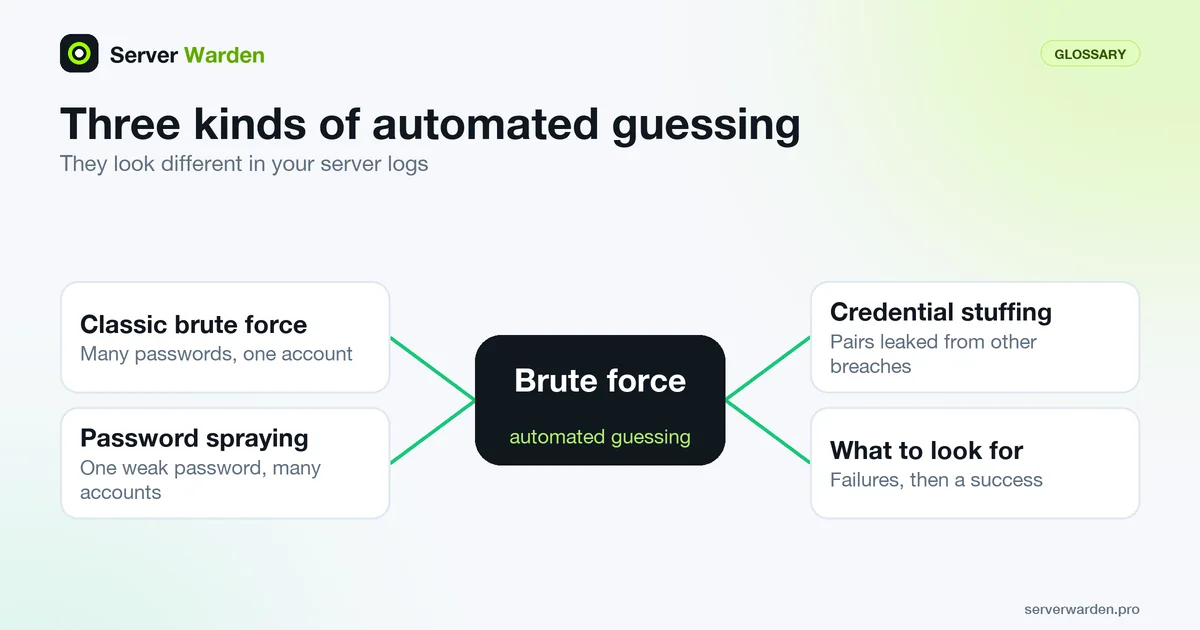
The OWASP Authentication Cheat Sheet separates three automated attacks. Classic brute force tries many passwords against one account. Password spraying tries one weak password against many accounts. Credential stuffing tries username and password pairs leaked from other breaches. They look different on a server, and the difference matters because a tool like fail2ban counts failures per source address.
Plain brute force from one address is the easy case: a long run of failures with the same IP. Spraying and stuffing, especially spread over many addresses, can stay under a per-IP threshold while still working. The detection guidance for the MITRE ATT&CK brute force technique points at the pattern that matters most: a burst of failures followed by a success from the same address or user. That success is the line to look for. Two read-only commands show it:
sudo lastb -i -n 20
last -i -n 20
The lastb manual page says it reads /var/log/btmp, the record of bad login attempts, while last lists successful logins. If an address appears in the first list and then in the second, treat the account as compromised and follow the breach response guide.
Throttling built into OpenSSH and into standards
You do not need an extra tool to get a first layer of throttling. The sshd_config(5) manual page documents several defaults. MaxAuthTries is 6 attempts per connection, LoginGraceTime is 120 seconds, and MaxStartups is 10:30:100, which starts refusing unauthenticated connections at random once 10 are open. Since OpenSSH 9.8, released on 2024-07-01, the PerSourcePenalties option is also on by default: it temporarily refuses addresses (and others in the same network range) that fail authentication, hold connections without logging in, or crash the daemon. Print what your server really uses, because older packages lack the newest option:
sudo sshd -T | grep -Ei 'maxauthtries|logingracetime|maxstartups|persourcepenalties'These limits slow an attacker but do not remove passwords as a target, so keep key-only SSH as the real fix. For the same reason, NIST SP 800-63B-4 section 3.2.2 requires verifiers to cap consecutive failed attempts per authenticator at no more than 100, and notes that organisations may choose lower limits. OWASP warns that lockouts can themselves be abused as denial of service, so on a login you cannot protect with keys, prefer growing delays over permanent locks.
Related terms: fail2ban, Rate limiting, Key-based authentication, SSH, MaxAuthTries, TOTP.
Frequently asked questions
Are brute-force attacks usually targeted at a specific server?
Rarely. Most are automated scans running continuously against every IP address on the internet, not a deliberate attempt against one particular business.
Does a complex password fully solve this?
It helps, but key-based authentication removes the risk entirely, since there is no password to guess in the first place.
How can I tell if my server is under a brute-force attempt right now?
Check the authentication log, usually /var/log/auth.log or /var/log/secure, for a high volume of failed login attempts from one or a small number of IP addresses in a short window.
What is the difference between brute force, password spraying and credential stuffing?
Brute force tries many passwords against one account, password spraying tries one weak password against many accounts, and credential stuffing tries username and password pairs leaked from other breaches. Spraying and stuffing are harder to stop with per-address bans.
Does locking an account after failed logins stop brute force?
It stops guessing against that account, but OWASP notes an attacker can trigger lockouts on purpose to deny service to real users. Growing delays, rate limiting and key-based authentication avoid that trade-off on SSH.
Want to see where your own server stands?
Run the free, read-only server check, or open the Security Lab and watch the detect, contain, recover, verify loop in action.
Get your free server checkOpen the Security Lab